01
Hot cues: jump to any moment
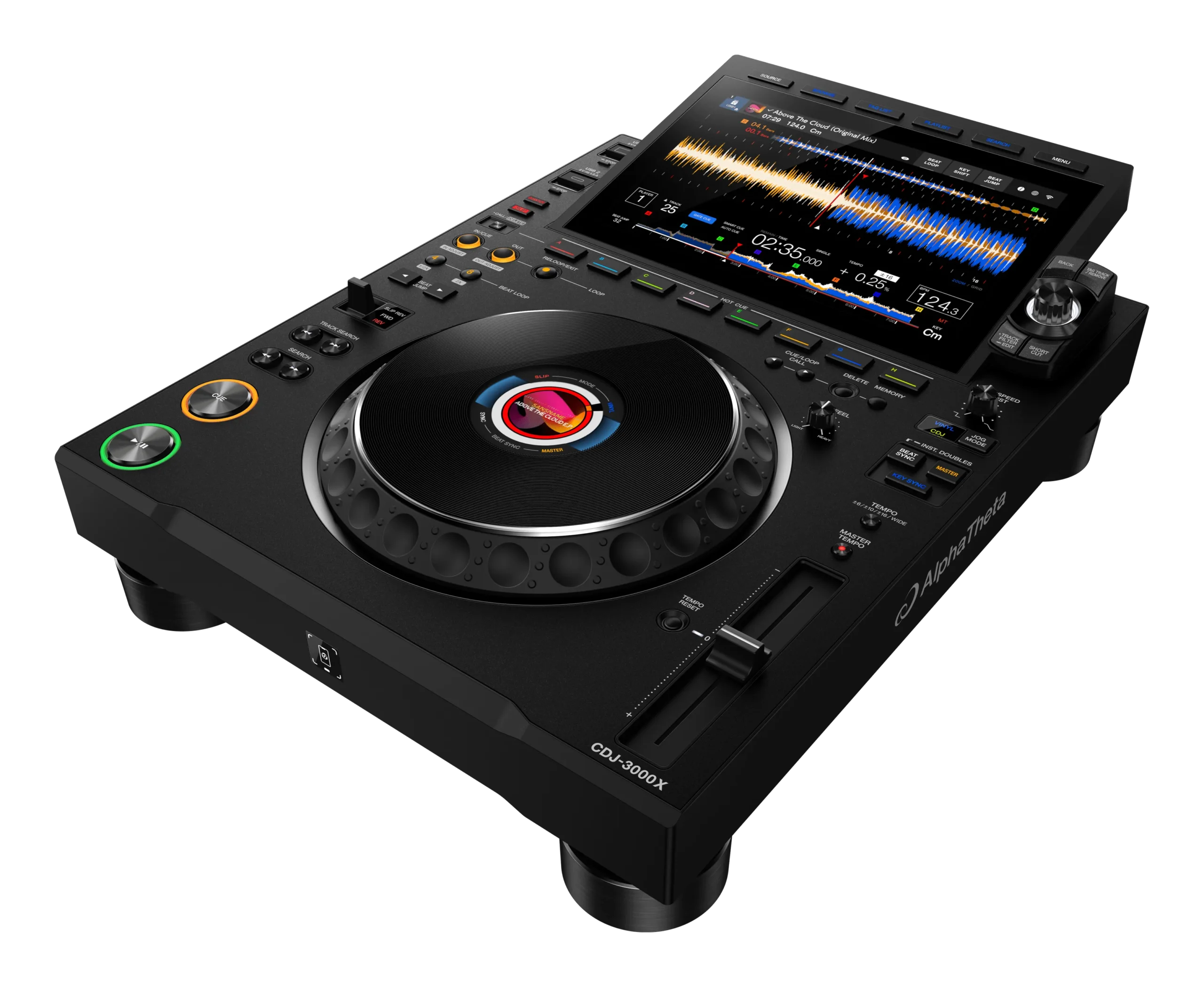
A hot cue is a saved marker in a track that you can jump to instantly with a pad. Set one on a drop, a vocal, an intro or a breakdown, and from then on a single tap takes you straight there and starts playing. Most gear gives you eight hot cues per track, colour-coded on the pads.
Why is this powerful? Three reasons. First, instant launching: instead of waiting for a track to reach its drop, you can fire it from the drop on cue, perfectly in time. Second, rearranging: you can play a track's sections out of order — jump from the intro straight to the second drop, skip a long breakdown, or replay a killer moment. Third, safety: if you accidentally start a track in the wrong place, one tap on your intro cue rescues you instantly.
The habit that unlocks hot cues is preparation. Spend time before a gig setting cues on your key tracks — mark the intro '1', the drop, the main vocal — so in the moment they're ready under your fingers. A well-cued library means you're never scrambling; you're performing.
02
Loops: repeat a section
A loop repeats a chosen section of a track over and over, seamlessly, for as long as you like. There are two ways to make one. Auto loops are instant: press a button (or turn the loop encoder) to capture a perfectly-timed loop of a set length — 4 beats, 8 beats, 16 beats — starting right where you are. Manual loops give you full control: you press Loop In to mark the start and Loop Out to mark the end, capturing exactly the section you want.
Once a loop is running, you can reshape it. Halve and double controls cut the loop in half (great for tightening a 4-beat loop down to 1 beat to build a stutter) or double it (to extend a section). Loop Move shifts the whole loop forward or back through the track. And exiting the loop drops you back into normal playback right where the track would have been.
Loops are endlessly useful: hold an intro groove while you set up the next track, stretch a breakdown to build anticipation, or lock onto a vocal phrase and repeat it. Because loops stay perfectly in time, they're a safe, musical way to buy yourself a few extra bars whenever you need them.
03
Loop rolls & beat jump
Two close cousins of looping add real performance flair. A loop roll (or 'roll') is a momentary loop: while you hold the pad, the track loops a tiny section — and crucially, the track's timeline keeps running underneath, so when you let go you snap back to where the song would have been if you'd never touched it. Roll a short loop on the build-up before a drop and you create a stutter that ramps tension, then release it right on the '1' so the drop lands clean. Halve the roll length as you go (1 beat, then 1/2, then 1/4) for that classic accelerating stutter.
Beat Jump moves you forward or backward through a track by a set number of beats — a quarter beat, a bar, eight bars — instantly and in time. Use it to skip a boring section, to rewind to replay a phrase, or to nudge your position to line up with the other deck. Because it jumps by exact beat amounts, you stay on the grid.
Both of these rely on Slip mode being a safety net on many units: it keeps the underlying playback running so your edits never derail the track. Roll for tension, beat jump to rearrange — small tools that make a track feel played rather than just pressed play on.
04
Using them in transitions
Hot cues and loops aren't just tricks — they make your actual mixing better. The most practical use is buying time and aligning structure. Say your outgoing track has a short outro but you need more bars to blend: drop an 8-beat loop on its outro groove and it'll hold there indefinitely while you bring the next track in calmly, then exit the loop as you complete the swap. No more rushing a transition because a track ended too soon.
Hot cues make your incoming track land exactly where you want. Instead of starting a track from the top and waiting, set a hot cue on its first downbeat (or its drop) and launch from there, perfectly on a phrase boundary, so the structures line up (see the phrasing guide). You can even cue-juggle between two hot cues on the same track to create a quick edit on the fly.
Loop rolls add energy to the moment of transition: a stutter roll on the build as you swap the bass over makes the change feel intentional and exciting. Used like this, cues and loops turn a basic fade into a crafted moment — you're shaping both tracks to meet perfectly, rather than hoping they line up.
05
Performing tastefully
The danger with hot cues and loops is the same as with effects: because they're fun, beginners overuse them, and a set drowning in constant stutters, jumps and loops sounds nervous and gimmicky rather than skilled. The pros use these tools sparingly and with intent — one well-placed stutter into a drop, one clever loop to extend a breakdown — and let the music breathe in between. Restraint is what makes the moments you do use land.
A good rule: every cue or loop move should have a reason. Are you extending a section to make a transition smoother? Building tension toward a specific drop? Rearranging a track to highlight its best part? If yes, do it. If you're just mashing pads because you can, stop — it adds noise, not value.
Build your skills the same way as everything else: learn one move at a time until it's clean and automatic, then add another. Master setting and launching hot cues first, then auto loops, then rolls. Record your sets and listen back — you'll quickly hear which moves enhanced the music and which just cluttered it. Used with taste, hot cues and loops are what make a crowd think 'how did they do that?' — used carelessly, they're what makes a set sound like a beginner showing off.