01
The filter: your most useful effect
The filter is the single most-used effect in DJing, and it's worth understanding deeply. A filter removes part of the frequency range as you turn the knob. From the centre (no effect), turning one way engages a high-pass filter, which gradually removes the low frequencies — the bass thins out and the track gets brighter and smaller, building tension. Turning the other way engages a low-pass filter, which removes the high frequencies — the track gets muffled and darker, like it's moving underwater or into another room.
That simple action does a lot. A slow high-pass sweep that strips the bass out over a few bars creates rising tension — perfect leading into a drop, where you slam the filter back to centre and the bass crashes back in. A low-pass sweep is a smooth way to retire a track, letting it fade into darkness as you bring the next one up.
Most gear has a filter on every channel (often the Sound Color FX knob set to Filter, or a dedicated filter), so you can shape each track independently. Learn to sweep the filter slowly and musically — in time with the build of the track — and you've got the most reliable, professional-sounding tool there is.
02
Sound Color FX
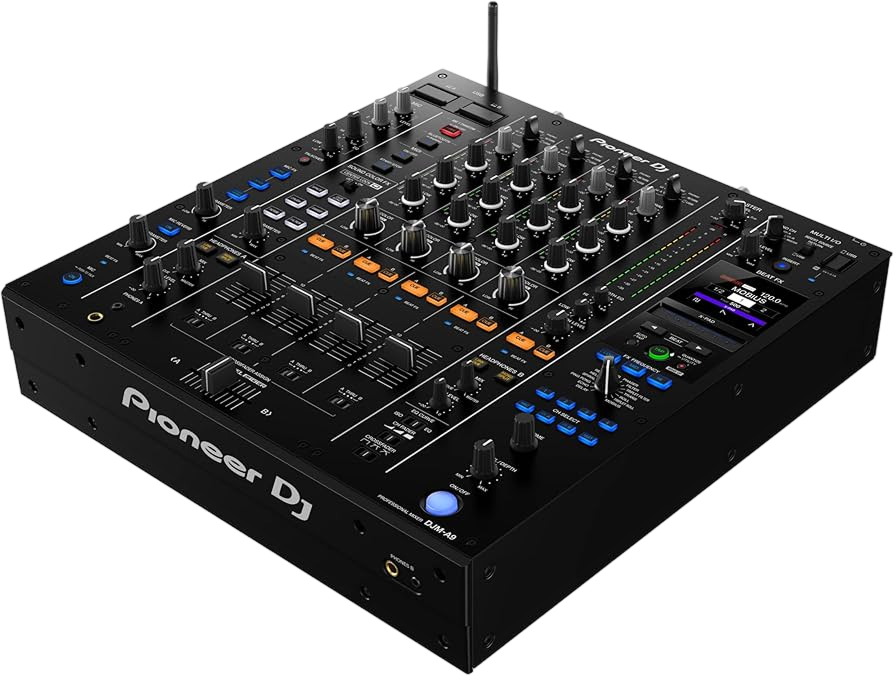
Sound Color FX (the term comes from Pioneer/AlphaTheta mixers, but most mixers have an equivalent) are one-knob-per-channel effects designed to be grabbed and ridden in the moment. The knob usually defaults to a Filter, but you can switch it to other 'colours': Noise adds rising white noise for a riser effect into a drop; Dub Echo throws a spacious, dubby echo for breakdowns; Crush adds gritty bit-crushed distortion for aggression; Pitch and others bend the sound in different ways.
What makes them powerful is immediacy — one knob, instant result, per channel, so you can apply a different colour to each track in a blend. Sweep Noise up on the incoming track as it builds, then drop it as the beat hits. Add a touch of Dub Echo to a vocal as a track breaks down. Because there's no menu-diving, you can perform them in real time, reacting to the music.
The key is that these are textures, not constant settings — you bring them in for a moment of build or release and then back off. A Sound Color FX knob parked on full all the time just sounds broken; swept with the music, it adds the movement and energy that makes a mix feel alive.
03
Beat FX: tempo-synced effects
Beat FX are the bigger, tempo-synced effects, usually in their own section of the mixer. Because they sync to the track's BPM, they land musically: you choose how many beats the effect spans, so an echo or roll lines up with the rhythm instead of fighting it. The essentials are worth knowing. Echo (or Delay) repeats the sound — set to 1 beat it's a tight rhythmic slap, set to longer it's a spacious trail; it's the classic way to end a phrase or carry a track out of a blend. Reverb adds space and size, great for lifting a breakdown or smoothing a transition. Flanger and Phaser add a sweeping, jet-like movement for builds. Roll captures a slice of audio and repeats it for a stutter, perfect for tension into a drop.
To use one: select the effect, set its beat length, choose the channel it hits, set the depth (how strong it is), and bring it in with the on/off control while you ride the depth or use the X-Pad to perform it. A Release FX (on some gear) lets you exit an effect smoothly by leaving a tail behind.
The most-used, most-reliable Beat FX move is a simple echo tail: as a track reaches the end of a phrase, throw a beat or two of echo as you cut the channel, and the sound trails off gracefully into the next track. One effect, perfectly timed — that's the professional touch.
04
Using FX in transitions & build-ups
Effects exist to enhance the moments the music is already building toward — the transitions, the build-ups, the drops, the breakdowns — not to run constantly. Knowing where to place them is most of the skill.
Into a drop: as a track builds, sweep the filter up to strip the bass, maybe add rising Noise, and roll a stutter that halves in length as the moment approaches — then release everything exactly on the '1' as the drop hits, and the contrast makes it slam. Out of a track: as you blend away from a song, throw an echo or reverb tail as you cut its channel, so it dissolves rather than just stopping. Through a breakdown: a touch of reverb or dub echo adds space and emotion while the energy is low. Between genres or big changes: a longer reverb or echo can mask a tricky join and smooth two very different tracks together.
Notice the pattern: effects cluster at the turning points, used briefly, in service of a moment. The body of a track — the part where people are just dancing to the groove — usually wants no effects at all. Place your FX at the seams of the music and they sound intentional; sprinkle them everywhere and they sound like noise.
05
The golden rule: restraint
If there's one lesson that separates DJs who sound professional from those who don't, it's this: restraint with effects. Effects are exciting to use, so the instinct — especially when you're learning — is to use them constantly, stacking filter, echo, reverb and roll on top of each other. The result is always the same: a muddy, washed-out, exhausting mix where you can't even hear the tracks. The crowd doesn't think 'wow, great effects' — they think 'this sounds messy'.
The pros do the opposite. They might go several tracks with no effects at all, letting clean mixing and good selection carry the set, and then deploy a single, perfectly-timed effect at a key moment — and because it's rare, it lands hard. One echo tail out of a track. One filter sweep into a drop. One reverb wash on a breakdown. Space makes impact.
So train yourself to ask, every time your hand reaches for an effect: does this moment in the music actually call for it? If yes, use it with timing and then get off it. If you're just bored, leave it alone and trust your tracks. Clean mixing with the occasional, deliberate effect will always sound more professional than a constant FX circus. Less is genuinely more — it's the hardest discipline in DJing and the one that pays off the most.