01
What the CDJ-3000X is & the layout
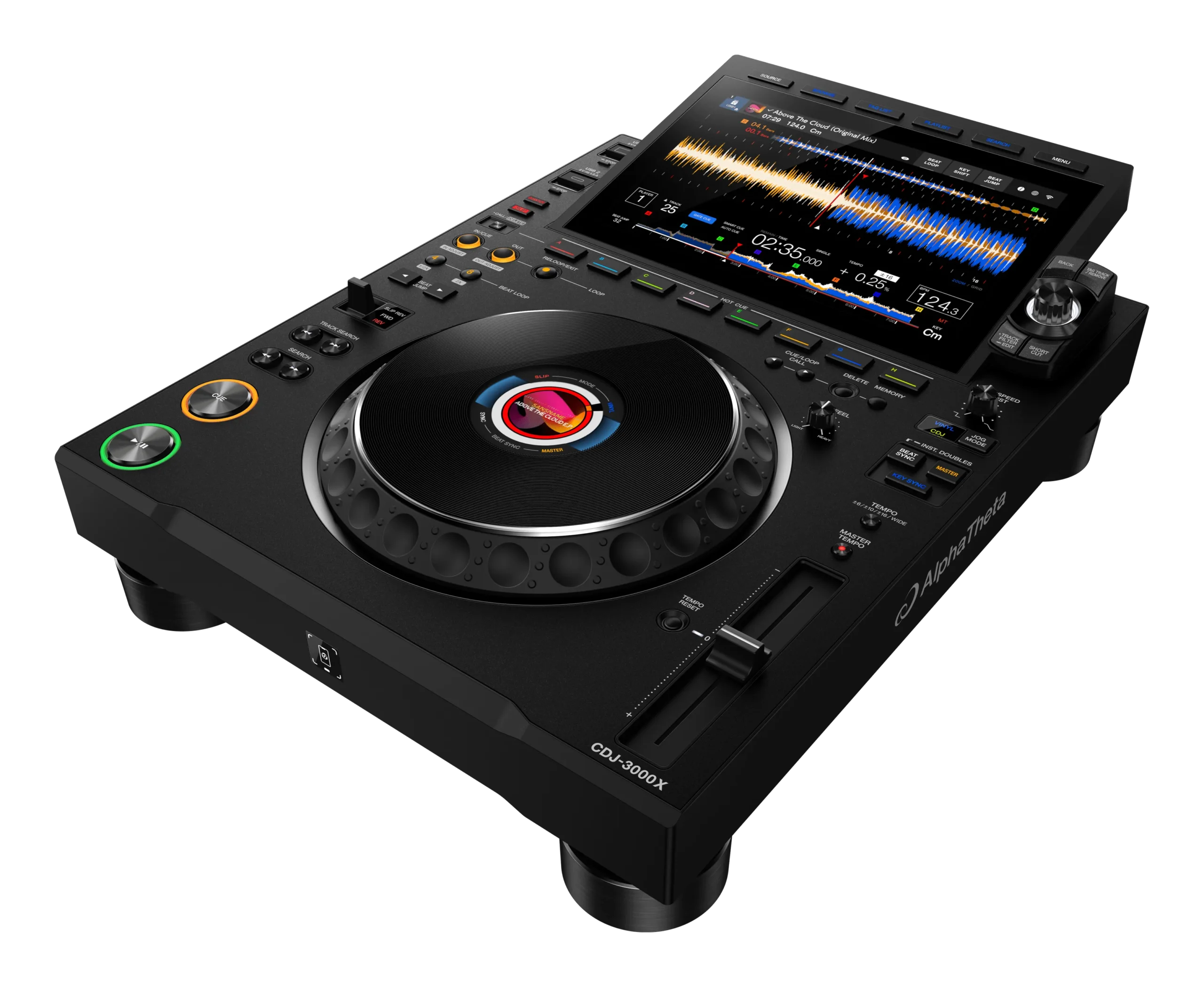
The CDJ-3000X is Pioneer DJ's flagship club multiplayer — the deck built into booths around the world, and the newest version of the CDJ-3000. Think of it as one "deck": it plays a single track, and you'd normally use two of them side by side feeding a separate DJ mixer. The big thing to know is that it runs standalone — no laptop required. It reads your music straight from a USB stick, from your rekordbox cloud library, or from a streaming service like Beatport or TIDAL. That cloud and streaming play, plus Touch Preview, is what's new on the 3000X versus the original 3000.
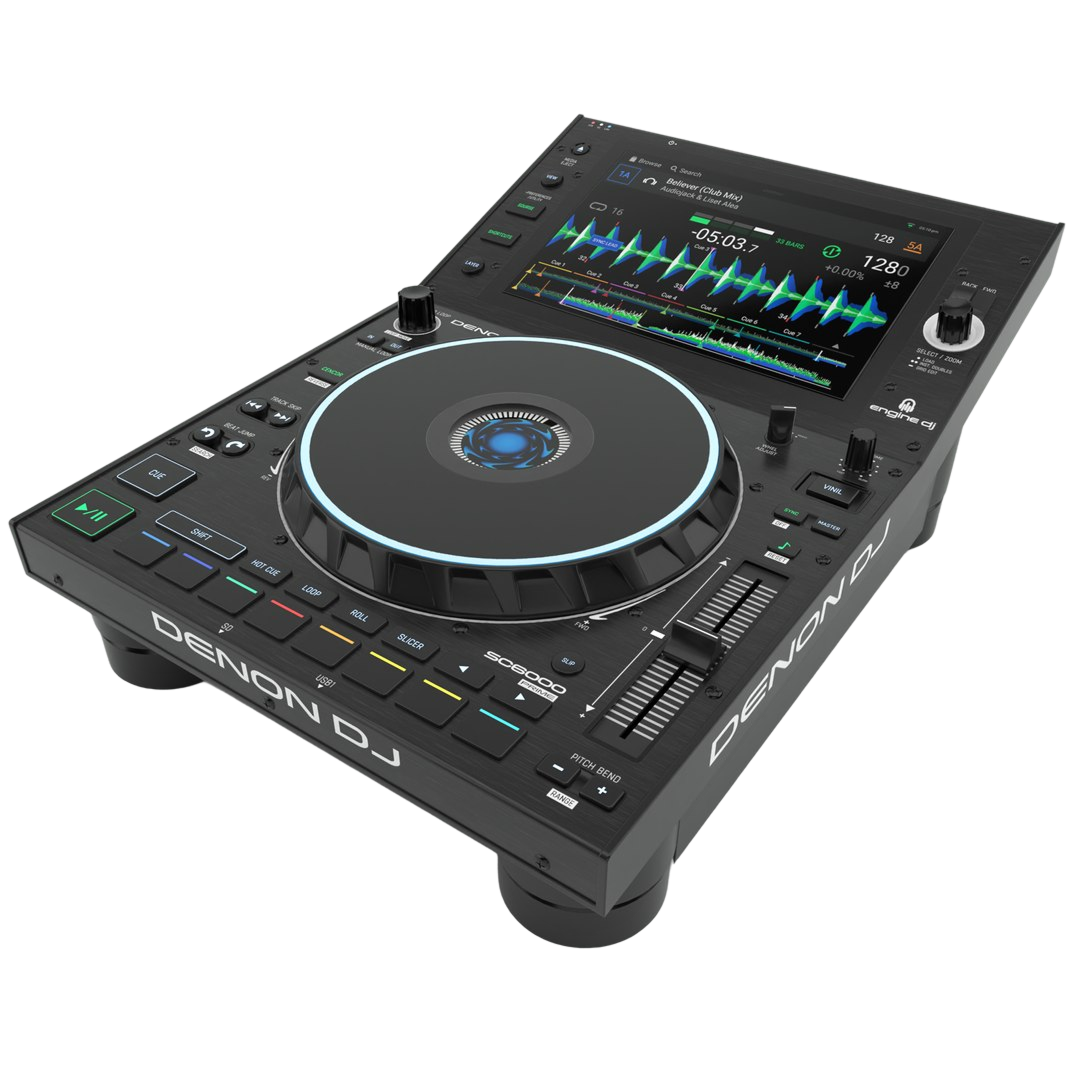
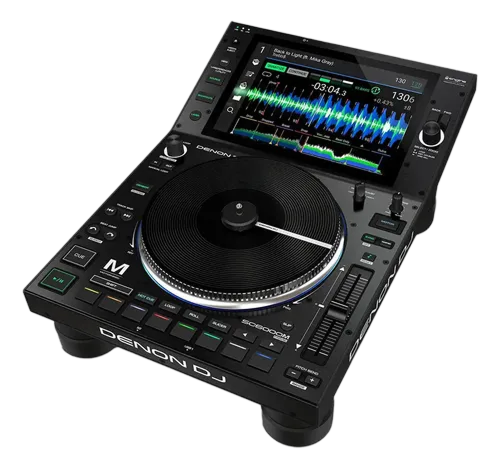
Everything is arranged around two centerpieces: the 9-inch touchscreen at the top and the jog wheel in the middle. Down the left edge are the transport controls — play, cue and the search buttons. Across the bottom sit the eight HOT CUE buttons (A to H) and the loop controls. On the right is the tempo slider with the sync and key section. Find those four zones once — screen, jog, transport, tempo — and the rest of this course is just pointing at things you already recognize.
02
Getting your music in: USB, Pro DJ Link, cloud & streaming
The CDJ-3000X plays from four sources, and knowing them is half the battle. First, USB: the unit has two ports (USB1 and USB2), so you can keep a track loaded from one while you browse another. Your stick must be in rekordbox's Device Library Plus format — prepare it in rekordbox on your computer first, and the deck reads your cues, loops and waveforms instantly.
Second, Pro DJ Link: connect the deck to a compatible DJM mixer and other players with a single LAN cable, and they share one library, beat-grid sync and Touch Preview across the booth. Third — and new on the 3000X — rekordbox CloudDirectPlay: log in (tap your phone or card on the NFC area at the front) and play your entire rekordbox cloud library with no USB stick at all. Fourth, StreamingDirectPlay: sign in to Beatport Streaming or TIDAL right on the screen and play tracks straight from the catalogue. For a reliable club setup, USB or Pro DJ Link is still king; cloud and streaming are the convenience superpowers the 3000X adds.
03
Browsing, Touch Preview & loading
Loading a track is simple: turn the rotary selector to move through your library and push it in to load the highlighted track onto the deck. The BROWSE button opens your folders and playlists; Track Filter narrows a huge library down by BPM, key, rating or colour so you find a track that fits in seconds.
The feature worth changing your habits for is Touch Preview. On the original CDJs you had to load a track to hear it — which interrupts your set. On the 3000X, when it's connected to a Touch Preview-compatible mixer over Pro DJ Link, you can touch the waveform of any track in the list and hear it in your headphones, from exactly the point you touched, without loading it. That means you can audition your next track while the current one is still playing out to the crowd. The deck also keeps a History of everything you played for about a minute or more, so you can rebuild tonight's set as a rekordbox playlist later.
04
Playback & the jog wheel
The basics first: PLAY/PAUSE starts and stops the track, and CUE drops a temporary cue point. While playing, pressing CUE jumps you back to that point and pauses (a "back cue") — hold it to play from there and release to snap back. The SEARCH buttons scrub within a track; TRACK SEARCH skips to the previous or next track.
The jog wheel has two personalities, set with the JOG MODE button. In Vinyl mode, pressing the top of the platter stops the music and turning it while pressed scratches, just like a record. In CDJ mode, the platter never stops the music — turning the outer ring just nudges the pitch up or down to nudge two tracks into alignment (that's pitch bend, and you can do it on the outer ring in either mode). Two knobs tune the feel: JOG FEEL adjusts how heavy or light the platter is to turn, and VINYL SPEED ADJUST sets how quickly the track stops and restarts when you hit play or pause — from an instant cut to a slow turntable-style brake. The jog display in the centre shows your playing position, artwork and cue markers at a glance.
05
Cues, Hot Cues, loops & slip
A cue point is your launch position — set it with CUE while paused, and you can always fly back to it. For instant recall, use the eight HOT CUE buttons (A to H): press one at any moment to store that spot, then tap it to jump straight there and play. Hold a Hot Cue and the deck plays only while you hold it (Gate Cue) — great for stutters and edits. Save your best cues and loops with MEMORY, then bring them back on any session with CUE/LOOP CALL; DELETE clears them.
For loops, you can go manual — LOOP IN sets the start, LOOP OUT sets the end, and RELOOP/EXIT jumps back in or drops out. Or go automatic with the 4 BEAT LOOP and 8 BEAT LOOP buttons, which capture a perfectly-timed loop instantly; the same buttons halve or double its length. BEAT JUMP moves you forward or back by a set number of beats — perfect for rearranging an intro on the fly. SLIP mode keeps the track playing silently underneath while you scratch, loop or hot-cue, so when you let go the music carries on as if you never left. And QUANTIZE snaps all of this to the beat-grid, so your cues and loops land in time even if your timing is slightly off.
06
Tempo, Beat Sync & Key Sync
The TEMPO slider changes how fast the track plays. The range button cycles its sensitivity — ±6, ±10, ±16 percent or WIDE — so you can make tiny nudges or big changes. MASTER TEMPO keeps the musical pitch the same even as you change speed, so faster doesn't mean chipmunk vocals. TEMPO RESET returns the track to its original speed in one press.
To beatmatch the classic way, you nudge the tempo and the jog until two tracks line up by ear. The deck will also help: BEAT SYNC instantly matches this deck's tempo and beat-grid to the one set as MASTER, and Instant Doubles copies a playing track — position and all — onto this deck for a seamless double-up. The 3000X also does harmonic mixing for you: KEY SYNC shifts the current track into the same musical key as the master deck, so blends sound consonant instead of clashing. Use Beat Sync to stay in time and Key Sync to stay in key — but keep practising the manual beatmatch underneath, because that's the skill that makes everything else sound intentional.