01
What the XDJ-RX3 is & the layout
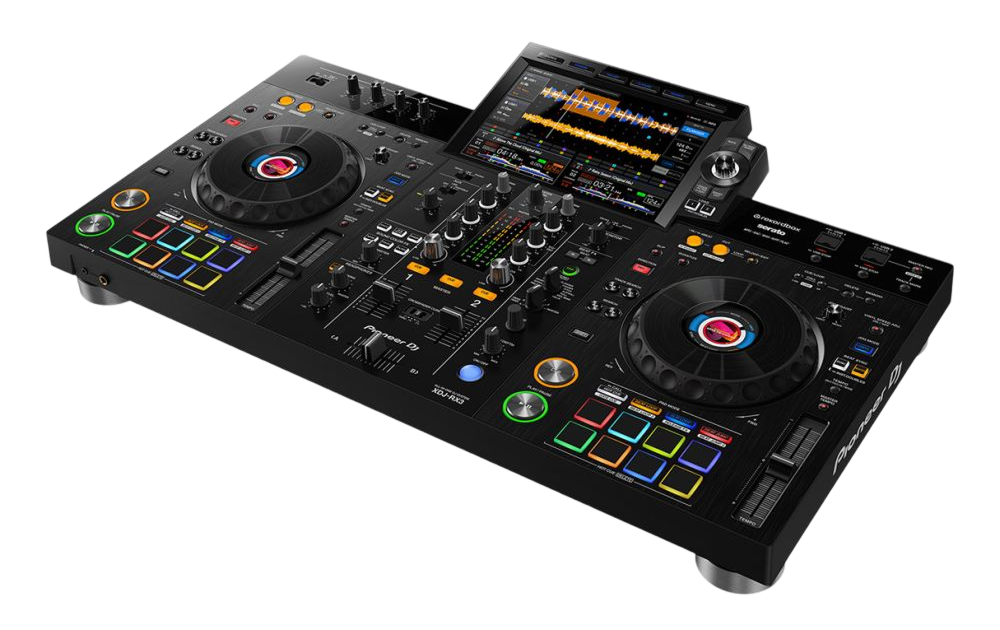
The XDJ-RX3 is an all-in-one DJ system: it combines two players and a two-channel mixer into a single unit with a large 10.1-inch touchscreen, and crucially it's standalone — plug in a USB stick and play, no computer needed. It's modelled on Pioneer's club gear (CDJ players and a DJM mixer), so the controls sit where they would in a professional booth, making it an excellent bridge between learning at home and playing out.
It's flexible on software too: it runs fully standalone from a USB drive prepared in rekordbox, but you can also connect a laptop and use it as a controller for rekordbox or Serato if you prefer. That versatility is a big part of its popularity.
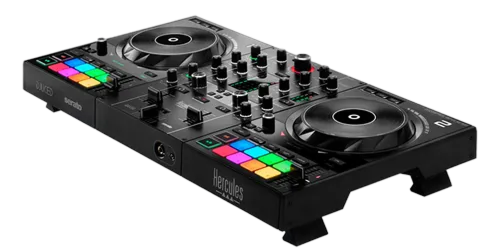
The layout is familiar: a deck on each side with a large jog wheel, transport controls, a tempo slider and performance pads; a two-channel mixer in the middle with EQ, Sound Color FX, faders and the crossfader; and the Beat FX section. The touchscreen handles browsing and shows your waveforms. Learn these zones and — combined with the universal skills in our Techniques section — you can perform a full set on the RX3 with nothing but the unit and your headphones.
02
Music in & browsing
The standard workflow is standalone: prepare your music in rekordbox on a computer — import, analyse, set cues and loops — then export to a USB stick. Plug that stick into the XDJ-RX3 and your whole library, with its cues and waveforms, is ready, no laptop in sight. Always bring a backup drive.
On the touchscreen, browse your folders and playlists, and use search and filter to narrow a big library by BPM, key or other tags so you find your next track quickly. The RX3 also supports Touch Preview on its screen, letting you audition a track in your headphones before loading it onto a deck — so you can line up your next selection while the current track plays out to the crowd. Load with the load buttons, and the waveform appears on screen.
If you'd rather use Serato or rekordbox on a laptop, connect over USB and the RX3 becomes a controller for that software instead — handy if you've built your library in Serato. Either way, good selection is the heart of DJing, and the RX3's big screen and preview tools make choosing well fast and easy.
03
Playing: the jog & transport
Each deck has a large, CDJ-style jog wheel. PLAY/PAUSE starts and stops; CUE sets a temporary launch point and jumps back to it during playback, so you can drop a track precisely on time. The jog scratches when you touch the top in vinyl mode and bends the pitch when you nudge the outer edge for small timing corrections — and you can adjust the feel and the start/stop braking to your taste.
The tempo slider changes the track's speed so you can match it to the other deck, and there's Beat Sync if you want it. The universal skill of matching two tracks by ear — tempo and phase — is taught fully in our How to Beatmatch guide; the RX3's club-style jogs and tempo sliders are an ideal place to practise it, because they behave like the CDJs you'll meet in a booth.
The big jogs and responsive transport give the RX3 a genuinely professional feel for a standalone unit. Get comfortable cueing and launching tracks cleanly in time here, and you've built a skill that carries straight over to real club players.
04
Mixing on the two-channel mixer
The centre of the RX3 is a DJM-style two-channel mixer. Each channel has a trim, three-band EQ, a Sound Color FX knob, a cue button and a fader, with the crossfader below. The core blend is the bass swap: cut the incoming track's LOW EQ, raise its fader so its highs and mids layer cleanly over the playing track, then swap the bass from old to new at the transition. Set your levels with the trim first so both tracks are equally loud.
Each channel's Sound Color FX knob adds instant texture — most usefully the Filter, swept one way to strip the bass and build tension before a drop, the other to muffle a track as it leaves. A slow filter sweep is a reliable, professional move.
We go deep on levels and EQ in our Gain Staging & EQ Mixing guide and on tasteful effects in our Filters & FX guide — both apply directly here. On the RX3, the EQ and faders feel smooth and club-like, so practising clean, controlled blends on it builds habits that transfer perfectly to a DJM in a real booth.
05
Pads, hot cues, loops & Beat FX
The performance pads bring creativity. Hot Cue mode saves your favourite moments — a drop, a vocal, an intro — so you can jump to any of them with a tap, rearrange a track live, or recover instantly if you start in the wrong place. Beat Loop mode captures a perfectly-timed loop to extend an intro or build tension, and there are pad modes for beat jump and more. Because the RX3 reads your rekordbox library, cues and loops you set during prep are ready to recall live.
The Beat FX section adds tempo-synced effects — echo, reverb, filter and others — locked to the beat. The most reliable move is a short echo tail as a track ends, dissolving it smoothly into the next.
The golden rule for both pads and effects is restraint — one well-placed hot cue or echo beats constant button-mashing. Our Looping & Hot Cues and Filters & FX guides cover the creative use in depth. On the RX3, start by mastering clean hot-cue launches and a single tasteful effect, then build from there.
06
Standalone vs laptop & who it's for
The XDJ-RX3's appeal is freedom and familiarity. Going standalone means no laptop to crash, fewer cables, and a setup that feels like club gear — many DJs love it for exactly that. But it's flexible: if you've built your collection in Serato or prefer mixing on a computer, you can plug a laptop in and use it as a controller. That standalone-or-controller versatility makes it suit a wide range of DJs.
Within Pioneer's range, the RX3 is the two-channel standalone. If you need four channels for layering and a more club-flagship feel, the XDJ-XZ (and the newer XDJ-AZ, with Wi-Fi, cloud and streaming) step up — see their guides. If you're just starting, a controller like the DDJ-FLX4 is a cheaper entry, while the RX3 is a serious step up toward club readiness.
For a gigging or aspiring-pro DJ who wants club-style control without lugging a laptop, the RX3 hits a sweet spot. Pair it with our Techniques guides for the universal skills, and it'll take you from confident bedroom sets to real venues — its layout means everything you learn transfers straight to the CDJ-and-DJM setups you'll find when you get there.