01
What the DJ-202 is for
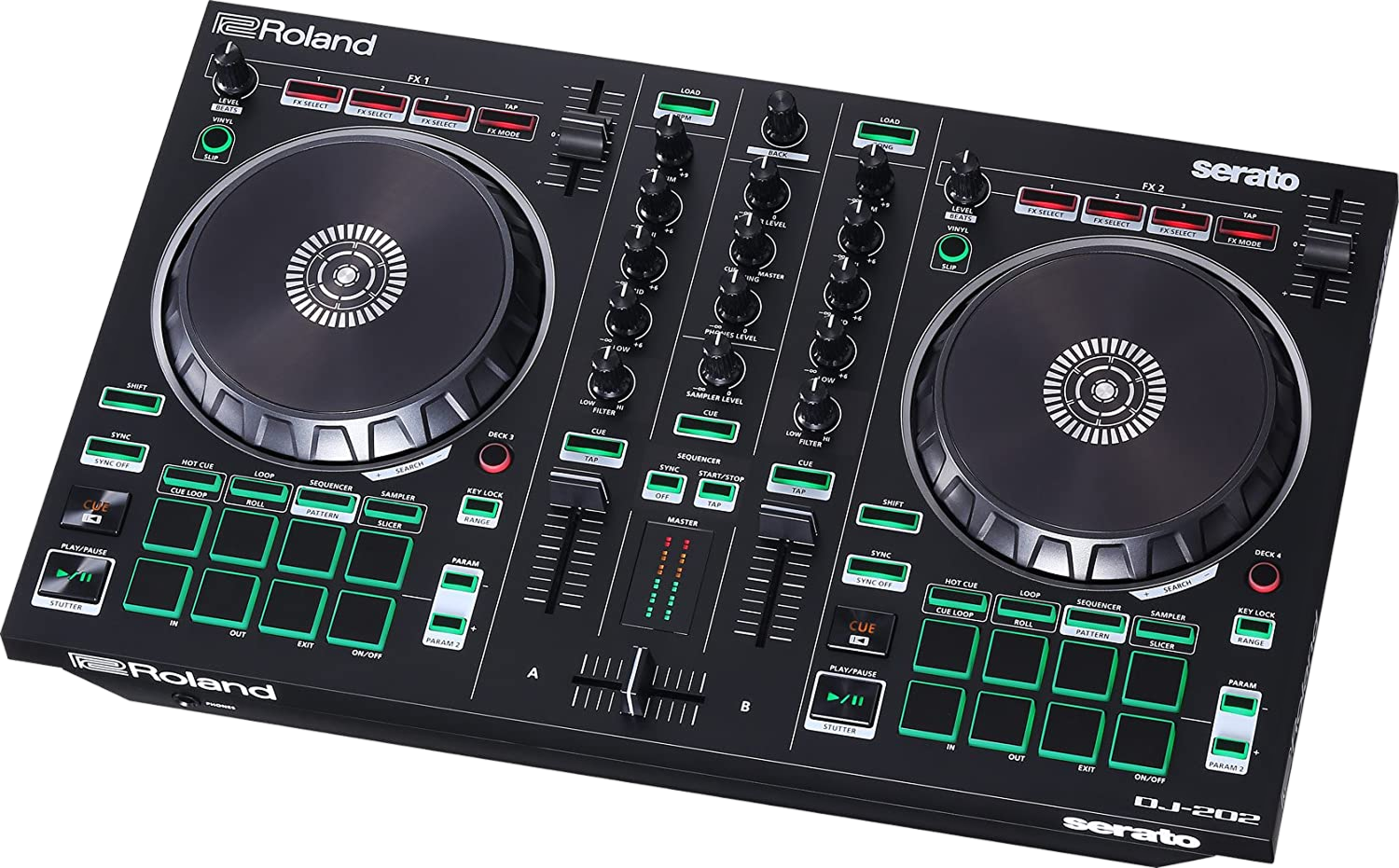
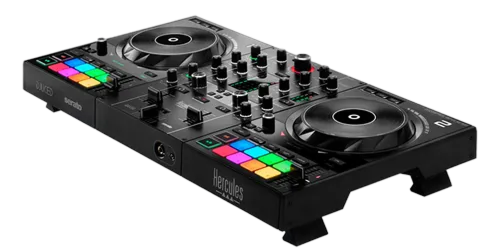
The Roland DJ-202 sits at the friendly end of the controller market: light, plastic, USB-powered and bundled with Serato DJ Lite, so a complete beginner can be mixing within minutes. What sets it apart from rivals at the same price is the TR-S drum machine built into the right-hand side — the same family of sounds (808, 909, 707, 606) that defined house, techno and hip-hop.
Think of the DJ-202 as two instruments in one box. The left side is a normal DJ controller: two decks, jog wheels, a crossfader and performance pads. The right side is a sequencer that plays Roland drum hits in time with your music. That combination makes it especially appealing to bedroom producers and DJs who want to add their own rhythmic flourishes, not just blend finished tracks.
This guide treats it as both. First we'll get you DJing confidently; then we'll bring the drum machine in as a creative tool, because used carelessly it just makes a mess — and used well it's genuinely distinctive.
02
Setup & your first mix
Connect the DJ-202 to your laptop over USB, install Serato DJ Lite, and the controller maps automatically. Plug headphones into the front and connect the rear outputs to speakers. Import some music and let Serato analyse it for BPM and key so beatmatching helpers and the drum sync work properly — our Organize Your DJ Library guide explains why clean analysis matters.
Load a track onto each deck, press Play, and use the channel faders and crossfader to move between them. The core skill is the same as on any controller: match the two tracks' tempos and phrase your transition. Start by leaning on the tempo sliders and your ears (our How to Beatmatch guide walks through this), and treat the Sync button as a helper you understand rather than a crutch — our When to Use Sync guide is honest about the trade-offs.
Get comfortable here before touching the drums. A clean blend between two records is the foundation everything else sits on.
03
Four decks on a two-channel body
Although the DJ-202 physically has two sets of controls, it can drive four Serato decks. A deck-select button reassigns each side to control deck 1 or 3 (left) and 2 or 4 (right). This lets you keep a track running on deck 3 while you cue something new on deck 1, then flip control across — useful for layering an acapella or a long loop under your main mix.
In practice, beginners rarely need all four decks, and that's fine. Learn it as a stretch goal: park a percussion loop or a vocal on a third deck, switch to it, set it playing, then switch back to your two main tracks. Because the controls move but the audio keeps playing, it takes a little mental mapping at first — go slowly and watch the on-screen deck indicators.
Four-deck mixing pairs naturally with the looping and layering ideas in our Looping & Hot Cues guide, which is worth reading alongside this.
04
Playing the TR drum machine
The right-hand pads switch into a Sequencer/Drum mode that plays Roland's classic drum voices — kick, snare, claps, hats and more. You can finger-drum them live over a track, or program a step pattern that loops in time with whatever's playing, because the drum machine locks to Serato's tempo.
Start simple: choose a closed hi-hat and tap it on the off-beats to add drive to a track that feels flat, or drop an 808 clap on beats two and four. Programming a pattern works like any step sequencer — each pad position is a step in the bar, and lit steps fire that sound. Keep patterns sparse; one or two added elements is usually plenty.
Because these are the actual 808/909-style sounds, they sit convincingly in house, techno and hip-hop. The skill is restraint: the drum machine should reinforce the groove of the record, not fight it. Read this lesson together with our Phrasing & Song Structure guide so your added drums land on the right parts of the track.
05
Limits & where to go next
The DJ-202 is a clever, fun, genuinely musical first controller — but it's built to a price. The jogs are small and light, it ships with Serato DJ Lite (not full Pro), and the drum machine, while great, is simpler than Roland's flagship DJ-808. None of that is a flaw; it's the trade for a cheap, portable unit that does something nothing else at this price does.
Everything you learn transfers. The mixing fundamentals move to any controller or club setup (our Controller vs CDJs guide maps the landscape), and the drum-machine instinct — adding your own rhythmic layers tastefully — is a skill that will make you stand out on bigger gear like the Roland DJ-808, which adds a far deeper TR sequencer, Serato DJ Pro and pro outputs.
If you outgrow it, our First DJ Setup guide covers sensible next steps. But many DJs keep a DJ-202 around for years precisely because the drum machine makes practising fun.