01
The flagship battle mixer
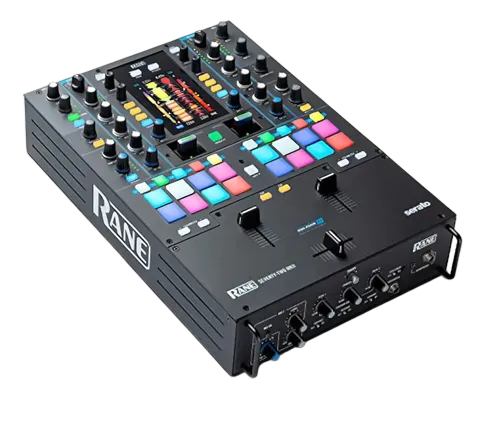
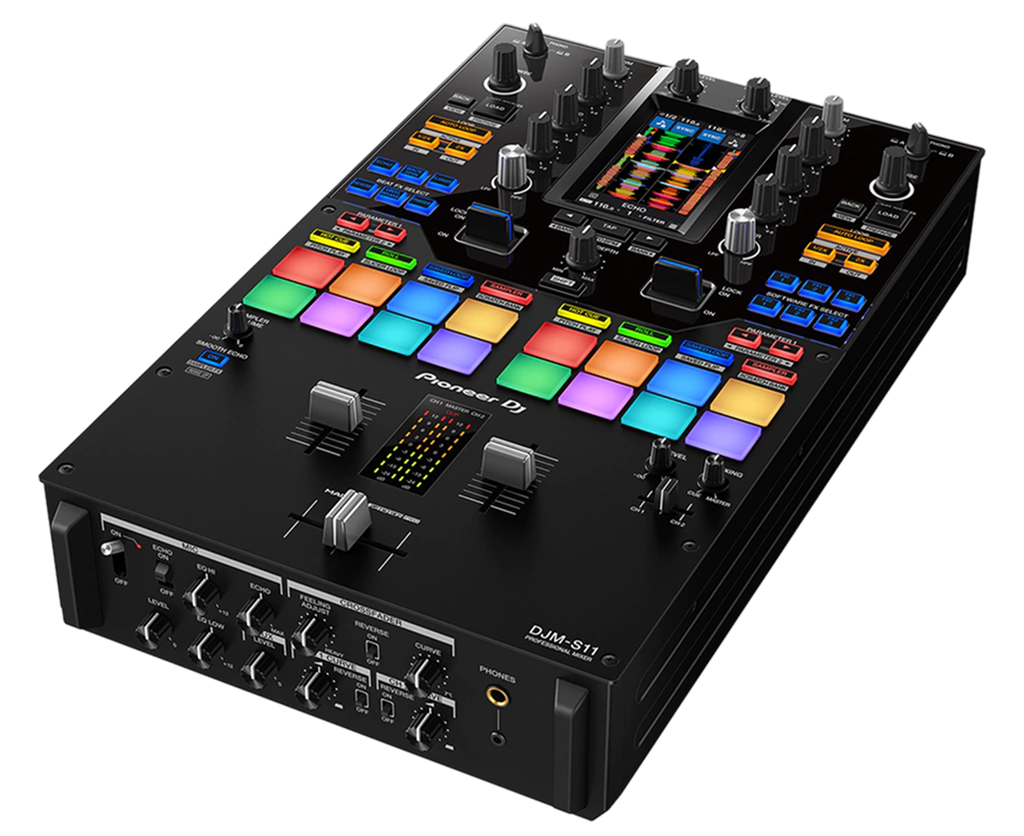
The Rane Seventy-Two is the top of Rane's battle-mixer line — a two-channel mixer laid out for turntablism, where the controls a scratch DJ uses constantly are big, central and within instant reach. It's not designed for four-deck club mixing; it's a precision instrument for cutting, scratching and performing.
Three things define it. First, a high-resolution colour touchscreen sits in the middle of the mixer, showing waveforms, library and effects so you rarely need to look at your laptop. Second, contactless Mag faders use magnets instead of physical contacts, so they feel feather-light, can be tuned precisely, and never wear out — a huge deal for scratch DJs who hammer the crossfader. Third, it runs Serato DJ Pro with dual USB ports, so two DJs can connect at once for seamless back-to-back battles.
It's typically paired with two turntables or Rane Twelve controllers. This guide assumes that setup and focuses on getting the most from the mixer itself.
02
Setup, Serato & dual USB
The Seventy-Two has a built-in Serato DJ Pro sound card, so it's the hub of your setup. Connect your turntables (or Rane Twelves) to the deck inputs, your headphones and master output, and your laptop over USB. Serato unlocks fully with the mixer, including DVS if you're using timecode vinyl.
The dual USB ports are a standout feature: two laptops can be connected simultaneously, so a back-to-back set or a battle can switch between DJs with no gap and no re-patching. Set this up early if you ever play b2b — it's one of the mixer's best tricks.
Set your gain staging carefully: trims on each channel so the decks hit a healthy level, master in the green (our Gain Staging & EQ Mixing guide explains why this protects your sound). With the touchscreen showing your levels and waveforms, you can keep your eyes up and your hands on the faders, which is exactly how the mixer wants to be played.
03
Mag faders & the cut
The contactless Mag faders are the heart of the Seventy-Two for a scratch DJ. Because they use magnetic sensing rather than physical contact, they're extremely light, completely silent, and never wear out or get crackly — the slow death of every traditional crossfader. They're also deeply adjustable.
The key adjustments are tension and curve. Tension sets how much resistance the fader gives; most scratch DJs run it light and loose for fast cutting. The curve sets how quickly the audio cuts in and out across the fader's travel: a sharp curve means the sound is full-volume almost immediately, which is what you need for clean cuts, chirps and crabs. You also get cut-in adjustment to set exactly where the sound switches on.
Dial these to your hands and your style, then practise basic cuts until the fader feels invisible. Our Scratching for Beginners guide covers the techniques; the Seventy-Two's faders are about as good a surface as exists to learn them on.
04
Touchscreen & performance pads
The colour touchscreen turns the mixer into a self-contained performance hub. It shows your decks' waveforms so you can see beats line up, lets you browse and load your library, and gives you touch control over effects — all without staring at your laptop, which keeps you present and your hands on the gear.
Each channel also has performance pads for hot cues, loops, the Serato sampler, and more, sitting right where a scratch DJ can hit them. That means you can load a Scratch Bank sample, trigger a cue to relaunch a break, or roll a loop, all from the mixer face. Our Looping & Hot Cues guide covers the musical thinking behind these.
The design philosophy is 'everything within reach, eyes up'. Spend time learning where each function lives by feel, so that during a performance you're reacting to the music instinctively rather than hunting through menus. That fluency is what separates a tight routine from a fumbled one.
05
Internal & external FX
The Seventy-Two has a powerful, flexible effects section combining Serato's software FX with the mixer's own controls, and it can also patch in external effects units via send/return. You get hands-on knobs and the touchscreen to dial them, plus paddle-style controls common to Rane battle mixers for slamming an effect in and out rhythmically.
For a scratch and battle DJ, effects are seasoning, not the meal. A well-timed echo on the tail of a phrase, a quick filter sweep into a drop, or a reverb wash to bridge two sections adds polish — but piling on effects buries the very cuts and routines the mixer exists to showcase. Our Filters & FX guide explains how to use them with restraint.
Learn one or two effects deeply rather than all of them shallowly. The combination of the Mag faders, the pads, the touchscreen and tasteful FX is what makes the Seventy-Two a complete performance instrument — and using each in service of the music is what turns features into a signature sound.