01
The mixer at the heart of the club
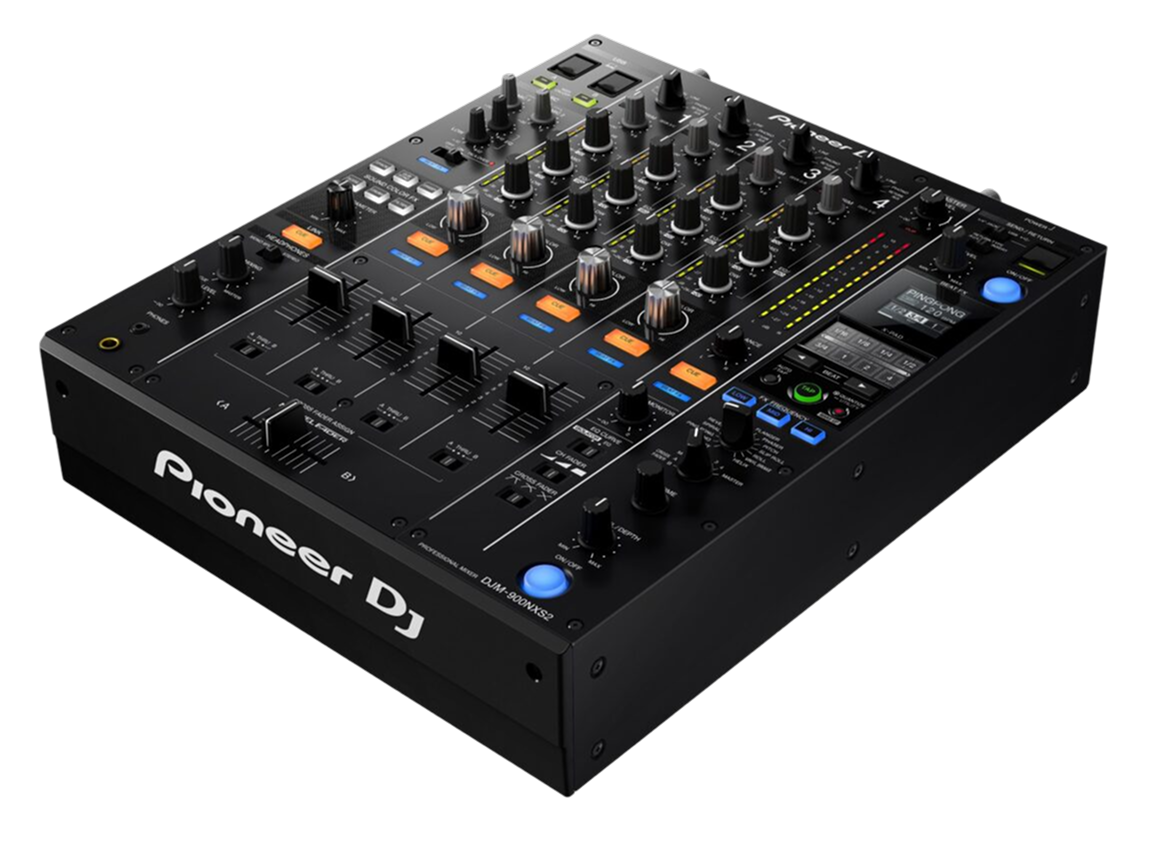
The DJM-900NXS2 is a professional four-channel DJ mixer, and for years it was the club standard — the mixer installed in the centre of the booth, with CDJ players plugged into its channels. Like the CDJ-2000NXS2 it paired with, it remains in a huge number of venues today, so it's essential knowledge for any DJ who wants to play out. The mixer is where the actual mixing happens: your players make sound, and the DJM is where you blend, EQ, and add effects to turn separate tracks into a continuous set.
It's built around four identical channel strips, each with a trim (gain) knob, three EQ bands, a Sound Color FX control, a cue button and a channel fader, plus the legendary Magvel crossfader along the bottom. To the side sits the Beat FX section with its display and X-Pad, and there's a microphone section and master/booth outputs.
A mixer can look intimidating, but it's really just four copies of the same channel plus effects. Learn one channel and the bass-swap blend (which we teach fully in our Gain Staging & EQ Mixing guide), and you understand the whole thing. This guide focuses on what's specific to the DJM-900NXS2.
02
Levels, EQ & the blend
Clean mixing on the DJM-900NXS2 starts with gain staging: use each channel's trim knob so the channel meter peaks healthily near the top without hitting the red. Match every track this way and they'll all play at a consistent level — no jumps when you switch, no distortion. It's the unglamorous habit that instantly makes you sound professional.
Each channel's three EQ knobs (HI, MID, LOW) let you boost or, more usefully, cut a frequency band. DJs mostly use them to carve space: the core move is the bass swap — kill the incoming track's LOW so it can layer over the playing track's bass without mud, then swap the bass from old to new at the moment of transition. The DJM's EQ can fully 'kill' a band (turn it all the way off), which is exactly what the bass swap needs.
We go deep on levels and EQ technique in our Gain Staging & EQ Mixing guide, and on where in the music to mix in our Phrasing guide — both apply directly here. On the DJM-900NXS2 specifically, the EQ and faders are smooth and precise, making it a joy to perform clean, controlled blends once the fundamentals are in your hands.
03
Sound Color FX
Sound Color FX are a DJM signature: one knob per channel that adds an instant effect, swept by how far you turn it from the centre. On the DJM-900NXS2 you choose the effect type for all the channels — the options include Space (a reverb-like wash), Dub Echo, Sweep (a filter that also affects pitch), Noise (rising noise for a riser into a drop), Crush (gritty distortion) and Filter (the classic high-pass/low-pass).
Because there's one on each channel, you can apply a different colour to each track in your blend. The most-used is the Filter: sweep it one way to strip the bass and build tension before a drop, the other way to muffle a track as it leaves. A slow, musical filter sweep is one of the most reliable, professional-sounding moves you can make.
The skill, as always, is timing and restraint — these are textures you bring in for a moment of build or release, not settings you park on. We cover creative effect use in our Filters & FX guide. On the DJM-900NXS2, the Sound Color FX knobs are smooth and immediate, perfect for performing these sweeps by feel while you watch the dancefloor.
04
Beat FX & the X-Pad
The Beat FX section holds the bigger, tempo-synced effects — echo, reverb, flanger, the classic Roll, and more. Because they lock to the track's BPM, they land in time: you select the effect, choose how many beats it spans, pick the channel it hits, set the depth, and bring it in. The DJM-900NXS2 also lets you apply Beat FX to the master or the mic, and a Release FX feature lets you exit an effect smoothly by leaving a tail behind — great for slipping out of a blend.
The X-Pad is a touch strip you drag your finger along to perform an effect, instantly changing its beat division or intensity as you move — turning an effect into something you play with your hand, ideal for building a riser into a drop.
The single most reliable Beat FX move is a short echo tail: as a track reaches the end of a phrase, throw a beat or two of echo as you cut its channel, and it dissolves gracefully into the next track. As always, restraint wins — one well-timed effect beats a constant wash. Our Filters & FX guide covers the tasteful use of all of this; the DJM-900NXS2 is the club-standard canvas for it.
05
Built-in DVS & connecting your gear
A standout feature of the DJM-900NXS2 is its built-in sound card with DVS support. DVS (Digital Vinyl System) lets you control digital tracks in rekordbox or Serato using real turntables and special control records — and because the sound card is inside the mixer, you connect your turntables straight to it and a single USB cable to your laptop, with no extra interface needed. That makes the DJM-900NXS2 a favourite for DJs who scratch or mix with vinyl-feel control. (Our PLX-CRSS12 and Technics SL-1200 guides cover the turntable side, and our Scratching guide covers the technique.)
For connections: your players — CDJs, turntables or a controller — plug into the channel inputs (turntables use the phono inputs, line sources use line). The master output feeds the main speakers and the booth output feeds your monitor. There's a microphone section with its own EQ, and digital and analogue outputs for any rig.
Knowing how to patch a setup together — what plugs where, how to set the booth versus master — is part of being booth-ready. With CDJs or turntables connected and your levels set, the DJM-900NXS2 becomes the reliable hub of your performance.
06
NXS2 vs A9 & why it's everywhere
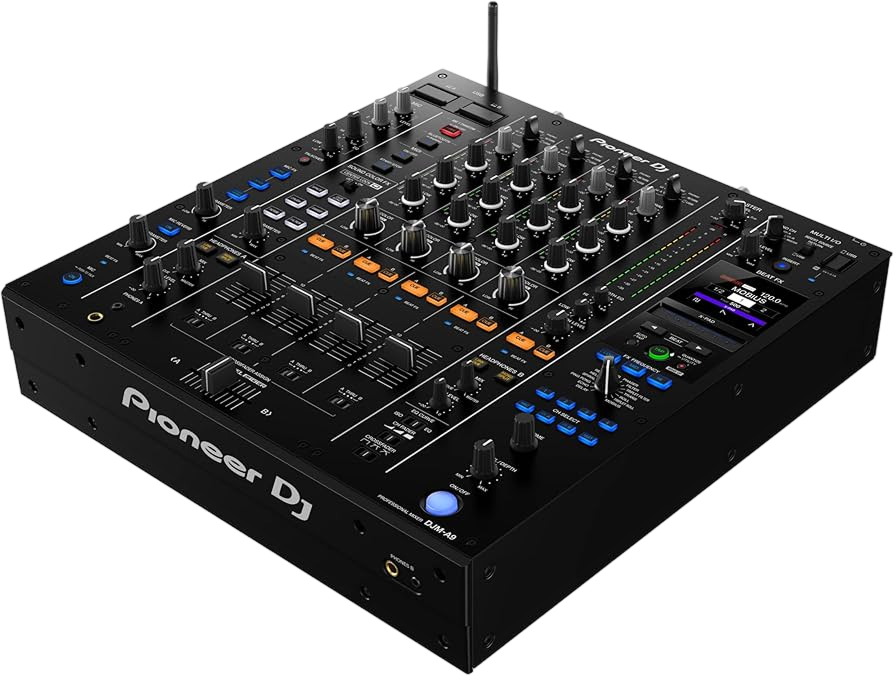
The DJM-A9 is the newer flagship that succeeded the 900NXS2, and the differences are worth knowing so you're comfortable on either. The A9 adds higher-end 32-bit sound, more and newer Beat FX, a refined Sound Color FX section with Center Lock, Bluetooth inputs on every channel, and a few ergonomic upgrades. But the fundamentals — four channels, trim, three-band EQ, Sound Color FX, the Magvel crossfader, Beat FX with an X-Pad, built-in DVS — are the same. If you can mix on a DJM-900NXS2, the DJM-A9 feels instantly familiar.
That shared DNA is exactly why the 900NXS2 is still worth mastering: it remains installed in a vast number of clubs and festivals, and it teaches the universal DJM workflow. Together with the CDJ-2000NXS2, it forms the classic club setup that defined modern DJing, and being fluent on it means you can walk into the majority of professional booths in the world and play.
Pair this guide with our Techniques section — beatmatching, gain and EQ, phrasing, effects — and you have the complete picture: the universal skills, and the specific club-standard mixer to perform them on. That combination is what makes you genuinely booth-ready.