01
What the X1800 is & the layout
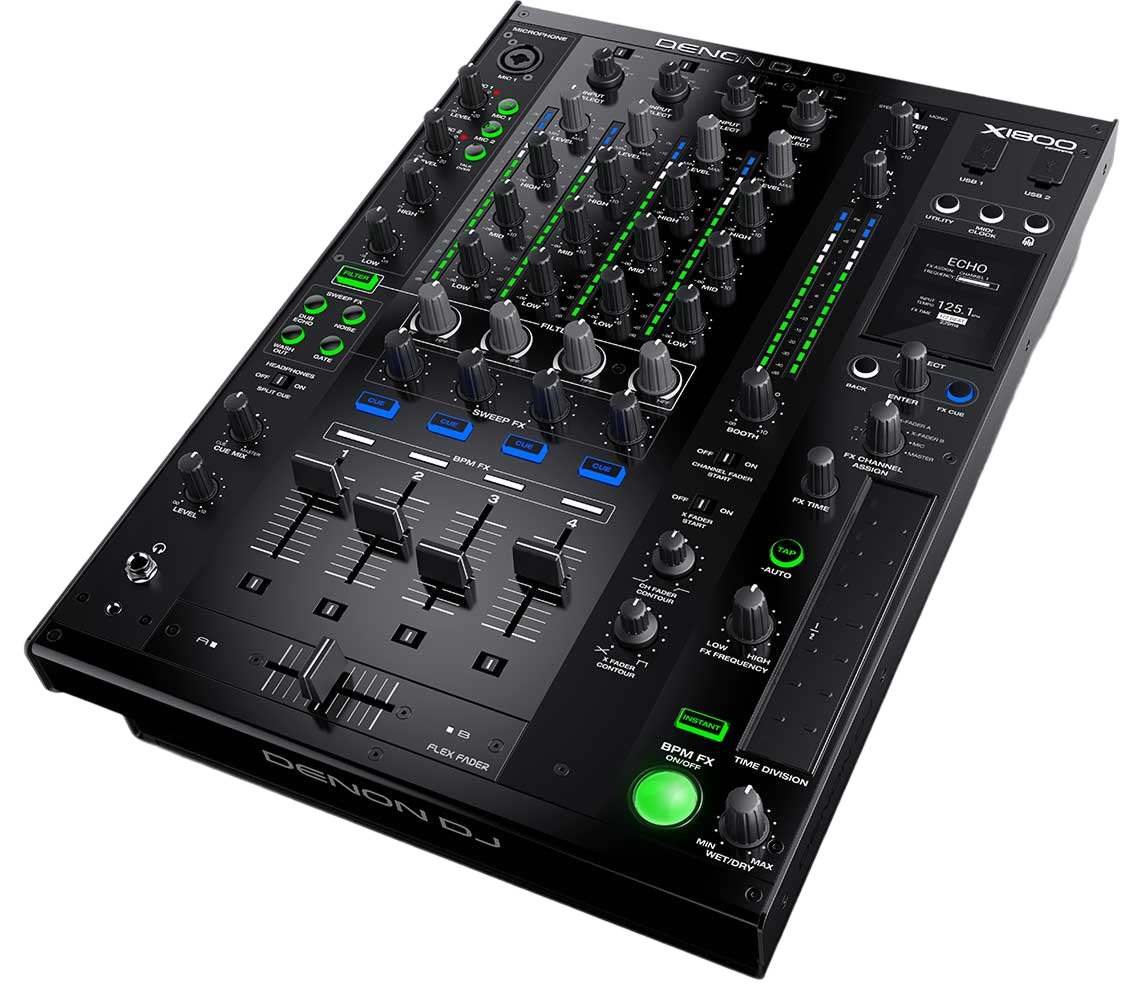
The Denon DJ X1800 Prime is a professional four-channel DJ mixer — the centre of a Denon Prime booth, where SC6000 players plug in and your mix happens, and a direct competitor to Pioneer's club mixers. Like any mixer, it makes no sound on its own: your players feed its channels, and the mixer is where you blend, EQ and add effects.
It's built around four identical channel strips, each with a gain knob, three-band EQ, a Sweep FX control, a cue button and a channel fader, plus the crossfader. There's a dedicated BPM FX section, a microphone input, and master and booth outputs. It also integrates tightly with the Engine ecosystem — networking with SC6000 players over a LAN so they share information and stay in sync.
A mixer can look busy, but it's really just four copies of one channel plus effects. Learn one strip and the bass-swap blend (our Gain Staging & EQ Mixing guide covers it fully) and you understand the whole thing. This guide focuses on what's specific to the X1800 — its effects and its place in a Denon setup.
02
Levels, EQ & the blend
Clean mixing on the X1800 starts with gain staging: use each channel's gain knob so the meter peaks healthily near the top without clipping into the red. Match every track this way and they'll all play at a consistent level — no jumps when you switch, no distortion. It's the unglamorous habit that makes you sound professional.
Each channel's three-band EQ (HIGH, MID, LOW) lets you boost or, more usefully, cut a band to carve space between tracks. The core move is the bass swap: kill the incoming track's LOW so it can layer over the playing track's bass without mud, then swap the bass from old to new at the transition. The X1800's EQ can fully kill a band, which is exactly what a clean bass swap needs.
We go deep on levels and EQ technique in our Gain Staging & EQ Mixing guide and on where in the music to mix in our Phrasing guide — both apply directly here. The X1800's faders and EQ are smooth and precise, making controlled, clean blends a pleasure once your fundamentals are in your hands.
03
Sweep FX & BPM FX
The X1800 has two flavours of effects, and they're a highlight. The Sweep FX are one-knob, per-channel colour effects — a Filter, plus options like Dub Echo, Wash Out, Gate and Noise — swept by how far you turn the knob from centre. Because there's one per channel, you can apply a different texture to each track. The most-used is the Filter: sweep it one way to strip the bass and build tension before a drop, the other to muffle a track as it leaves. A slow, musical filter sweep is one of the most reliable professional moves there is.
The BPM FX section holds the bigger, tempo-synced effects — echo, reverb, delay and more — locked to the beat: choose an effect, set how many beats it spans and the channel it hits, and ride the depth. A short echo tail as a track ends is the classic, smooth exit from a blend.
As always, the skill is timing and restraint — these are accents for the turning points of the music, not constant settings. Our Filters & FX guide covers tasteful effect use in depth. The X1800's effects have real character, and used deliberately they give your mixes movement and energy.
04
Connecting a Prime/club setup
As the hub of the booth, the X1800's connections matter. Your players — SC6000s, turntables or a controller — plug into the channel inputs (turntables use the phono inputs; line sources use line). The master output feeds the main speakers and the separate booth output feeds your monitor so you can hear yourself without being deafened by the room. There's a microphone section with its own controls for announcements.
A Denon-specific strength is the Engine networking: connect the X1800 and your SC6000 players over a LAN cable, and they share library and timing information and stay in sync — the standalone equivalent of Pioneer's Pro DJ Link, and the reason the X1800 and SC6000s form such a tight Prime system. The mixer also has a built-in interface for using software/DVS.
Knowing how to patch a setup together — what plugs where, how to set booth versus master, how to link the Engine network — is part of being booth-ready. With your players connected and your levels set, the X1800 becomes the reliable heart of a Denon Prime performance.
05
X1800 vs Pioneer & who it's for
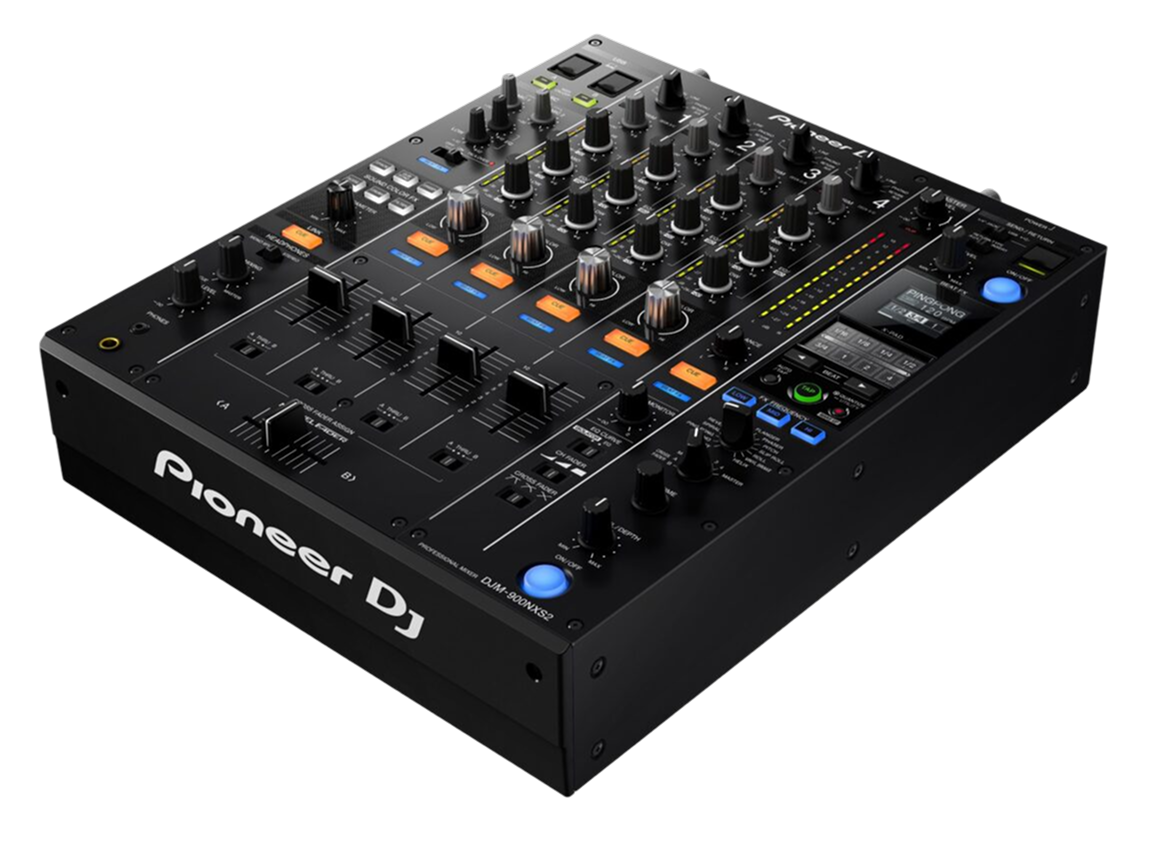
The X1800 competes directly with Pioneer's club mixers like the DJM-900NXS2 (in our guides). The fundamentals are the same — four channels, gain, three-band EQ, per-channel colour effects, tempo-synced effects, a crossfader, built-in DVS — so if you can mix on one, you can mix on the other. The X1800's effects have their own character (the Sweep FX and BPM FX), and its big advantage is being the natural hub for a Denon Prime setup, networking seamlessly with SC6000 players.
The main practical difference is the ecosystem and where you'll find each. Pioneer's DJM mixers are installed in the majority of clubs, so they're what you're most likely to encounter when you play out; the X1800 is more often part of a setup a DJ owns, especially one built around Denon's SC6000 players and Engine DJ.
So the X1800 suits a DJ building their own Prime system, or anyone who prefers Denon's workflow and effects. The skills are universal and transfer to any club mixer. Pair the X1800 with our Techniques section — beatmatching, gain and EQ, phrasing, effects — and you have a complete, professional four-channel mixing setup, whether at home or in a booth.