Home/Mixer/Rane Seventy
2-Channel Battle MixerRane Seventy 2-Channel Battle Mixer
Rane · Advanced

Rane Seventy

The streamlined Rane battle mixer — magnetic faders and performance pads, minus the screen. Learn to scratch and perform on a focused workhorse.

4
Lessons
Mixer
Type
Advanced
Level
Overview

Everything the manual says — minus the headache.

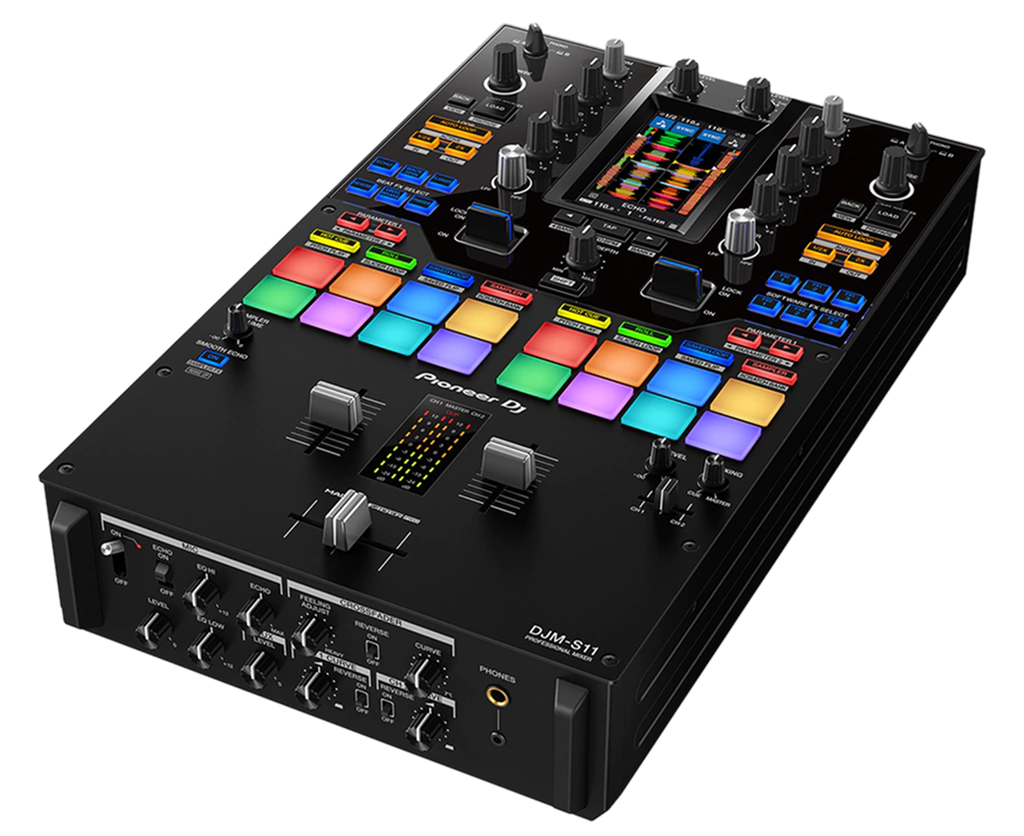
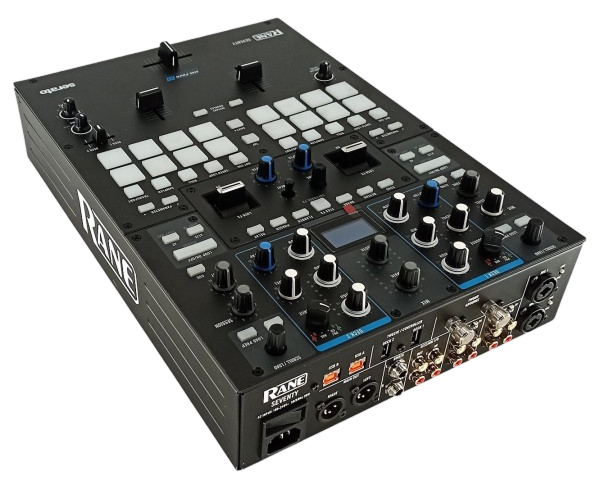
The Rane Seventy is the Seventy-Two's more focused sibling: the same battle-ready core — contactless Mag faders, dual USB, eight performance pads per channel and a full Serato DJ Pro sound card — without the touchscreen, at a lower price. For many scratch DJs that's the ideal trade. This guide teaches you to set it up and to perform on it, treating its streamlined layout as a strength rather than a compromise.

  • Understand where the Seventy fits versus the Seventy-Two
  • Set it up with Serato DJ Pro and your decks
  • Tune the Mag faders for clean cutting
  • Perform with the dual rows of performance pads
Advertisement
Lessons
01

Streamlined by design

The Rane Seventy keeps everything a scratch DJ needs and drops the one thing not everyone wants to pay for: the touchscreen. You still get the contactless Mag faders, dual USB ports for back-to-back sets, a full Serato DJ Pro licence and sound card, and — generously — two rows of performance pads per channel, more than many mixers offer. For a lot of turntablists, that's the sweet spot. If you keep your laptop in front of you anyway, the Seventy-Two's screen is a luxury rather than a necessity, and the Seventy puts the saved money back in your pocket while keeping the parts that actually shape a scratch performance — the faders and the pads. Think of the Seventy as the workhorse version: rugged, focused, and built around the controls you'll touch every second of a routine. This guide treats its simplicity as an advantage, getting you straight to performing without distraction.

02

Setup with Serato & your decks

Like its bigger sibling, the Seventy has a built-in Serato DJ Pro sound card, so it's the centre of your setup. Connect two turntables or Rane Twelve controllers to the deck inputs, plug in headphones and your master output, and connect your laptop over USB. Serato unlocks fully, DVS included if you run timecode. The dual USB ports mean two laptops can be connected at once — invaluable for back-to-back battles where you want to hand off between DJs instantly. Set this up if you ever play b2b. With no touchscreen, your laptop is your display, so position it where you can glance at waveforms while keeping your hands on the faders. Get your gain staging right from the start — channel trims set so the decks hit healthy levels, master in the green — because clean levels are the foundation of a punchy scratch sound. Our Gain Staging & EQ Mixing guide covers the why and how.

03

Mag faders & cutting

The Seventy uses the same contactless Mag faders as the Seventy-Two, and they're the reason to buy either. Magnetic sensing means they're light, silent, and immune to the wear and crackle that eventually ruins ordinary crossfaders — a real advantage for scratch DJs who work the fader hard. Dial them in the same way: set tension light for fast cutting, choose a sharp curve so the audio hits full volume almost instantly across the fader's travel, and adjust the cut-in point so the sound switches on exactly where your hand expects. These small settings make a big difference to how clean your cuts, chirps and crabs sound. Then practise. The fader should become something you stop thinking about — pure reflex paired with the platter movements. Our Scratching for Beginners guide breaks the core techniques down step by step, and the Seventy's faders are a top-tier surface to drill them on.

04

Performing with the pads

The Seventy's two rows of performance pads per channel are unusually generous, and they're where you build routines beyond pure scratching. Use Hot Cue mode to set markers on a track's key sections and relaunch them on the beat; use the Serato sampler and Scratch Bank to load sounds you can cut up; roll loops to extend a phrase or hold a groove. The magic is combining pads with the faders. Trigger a sample from a pad and scratch it with the platter and crossfader; juggle hot cues to rearrange a break live. This interplay is the essence of modern turntablism, and the Seventy's layout keeps both within instant reach. Our Looping & Hot Cues guide covers the musical ideas behind the pad modes. Learn a few moves deeply rather than skating across all of them. A tight 30-second routine that combines clean cuts with a couple of well-placed pad triggers is far more impressive — and more useful at a gig — than a scattershot of half-learned tricks. The Seventy gives you everything you need to build exactly that.

Techniques to practise
Related gear
Advertisement