01
What the Party Mix is
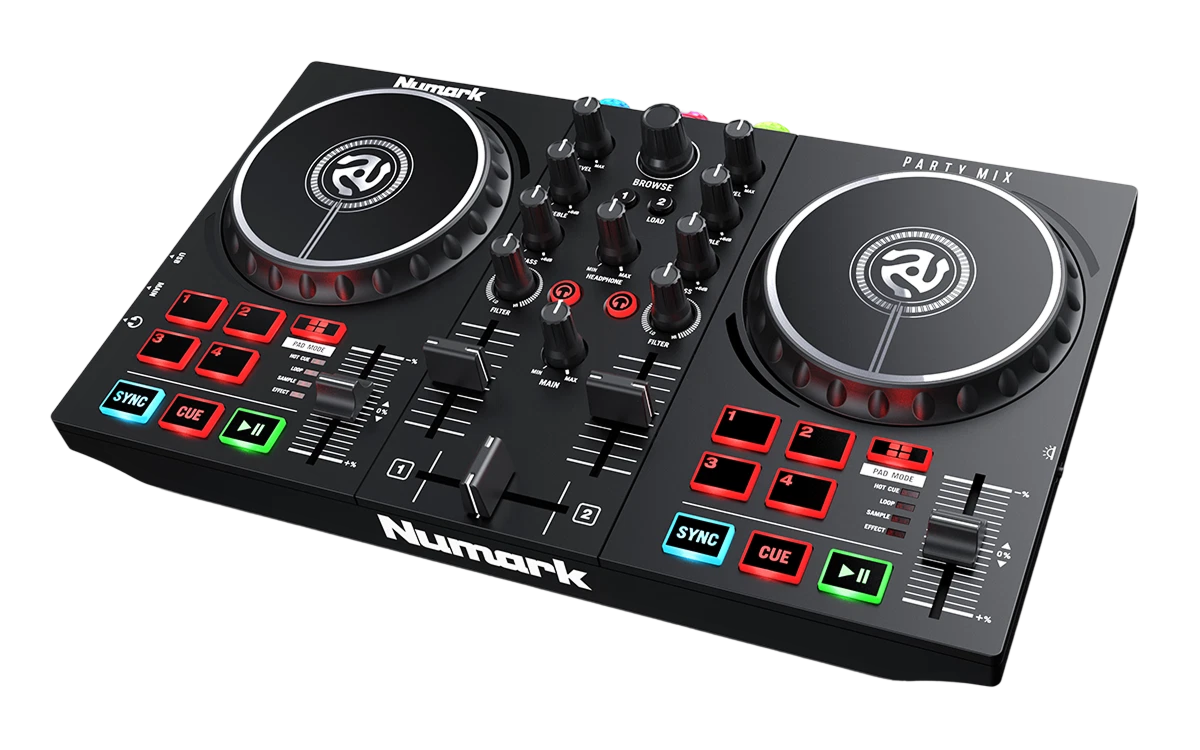
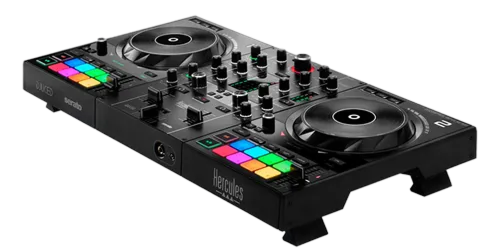
The Numark Party Mix is one of the most affordable DJ controllers on the market — a compact two-channel unit designed for complete beginners, kids, students and casual party hosts. Its claim to fame is a built-in light show: coloured lights on the unit pulse and flash in time with your music, which is fun at a house party and part of its appeal as an entry, no-pressure way to try DJing.
It's a genuine DJ controller — it has two jog wheels, a crossfader, basic EQ, performance pads and transport controls — and it comes with DJ software (typically Serato DJ Lite or Virtual DJ) to get you started. But it's important to set expectations: it's a basic, plasticky, entry-level unit built to a very low price, not a serious instrument. The controls are small and simple, and it lacks the feel, features and build of pricier gear.
That's not a criticism — it's exactly what it's meant to be: the cheapest, friendliest possible way to find out if you enjoy DJing. This short guide covers the basics on it, honestly, so you can have fun and decide if you want to go further.
02
Setup & the basics
Setup is easy, which is the point. Connect the Party Mix to your laptop over USB, install the included DJ software (Serato DJ Lite or Virtual DJ — our Serato DJ Pro and VirtualDJ guides cover these), and the controller maps automatically. Plug headphones into the unit, connect it to speakers (or use your laptop's), and you're ready. The Party Mix is powered over USB and needs nothing else.
Prepare a little music in the software — import some tracks and let them analyse for BPM so the basic features work. Then use the controls to load a track onto each of the two decks.
That's the whole setup — deliberately simple, so a total beginner or a kid can be playing within minutes. The Party Mix is designed to remove every barrier to just trying it: cheap, plug-and-play, with free software included. Don't expect to prepare an elaborate library or set deep cues here; it's about getting two songs playing and having a go at mixing them, which the next lesson covers.
03
Your first mix
Mixing on the Party Mix uses the same basic ideas as any controller, just simplified. Press Play to start a track, and Cue to set and jump to a start point. The jog wheels let you nudge the timing. To match two tracks' speeds you use the tempo controls (and there's usually a Sync button, which on a unit like this most beginners will lean on — our When to Use Sync guide explains the honest trade-offs).
To blend, bring the second track in with the crossfader or channel controls; the basic bass-swap idea (lower the incoming track's bass as you bring it in) still helps even here (our Gain Staging & EQ Mixing guide covers it simply). The performance pads can trigger hot cues and loops for a bit of creative fun.
Don't worry about perfection — the Party Mix is for learning the feel of mixing and having fun. Getting two songs to play together and crossfading between them is a real first step, and doing it on this unit is exactly how many DJs first caught the bug. The fundamentals you start to feel here — keeping a beat, blending two tracks — are the same ones you'll refine on better gear, so enjoy the experiment.
04
The light show & where to go next
The built-in light show is the Party Mix's signature party trick: coloured lights pulse and flash in time with your music, adding atmosphere to a house party or bedroom session with zero effort. It's gimmicky, sure, but it's genuinely fun and part of why the Party Mix is such a popular, no-pressure entry to DJing — especially as a gift or a first toy for a curious beginner.
Be clear-eyed about what comes next, though. The Party Mix is a starting point, not a unit you'll grow with for long. If you catch the DJing bug, you'll quickly want better jog wheels, proper EQ, more features and a sturdier build — and that's exactly when to step up to a more capable beginner controller (our First DJ Setup guide walks through the options, like a Mixtrack Platinum FX or a DDJ-FLX4).
The good news: everything you learn on the Party Mix — the feel of beatmatching, blending two tracks, using cues — transfers directly to better gear, so it's never wasted. Think of it as the friendliest possible test drive: cheap, fun, and a real taste of DJing. If you love it, our Techniques section and a step up in gear will take you as far as you want to go.