01
What the Mixtrack Platinum FX is
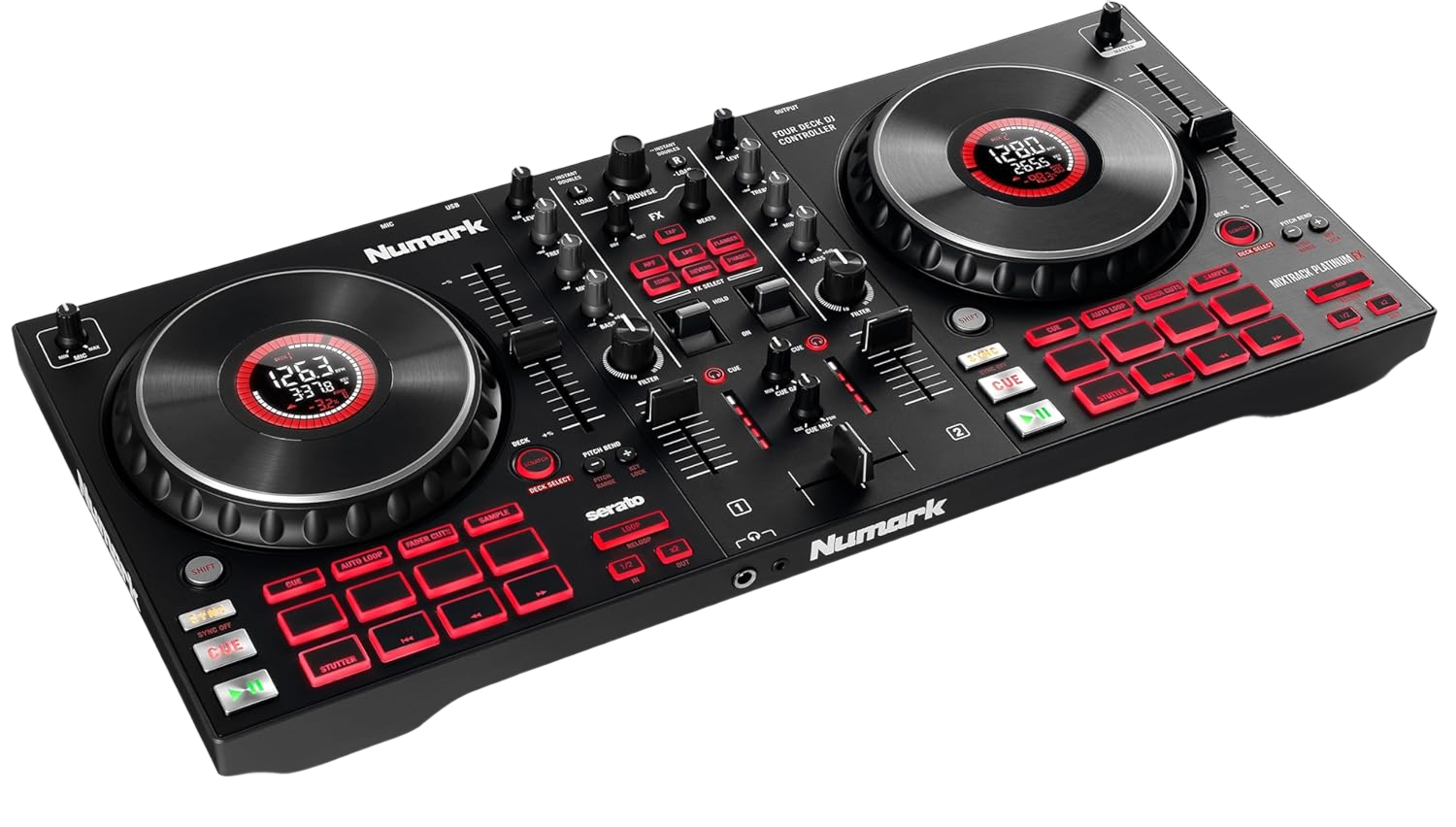
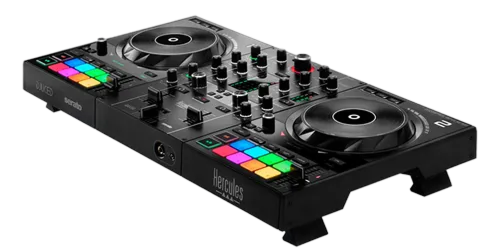
The Numark Mixtrack Platinum FX is a budget DJ controller that's become a popular first purchase, because it offers a lot of features for the money. For an entry-level price, you get four-deck control, jog wheels with built-in displays (showing your position, BPM and more — unusual at this price), a dedicated FX paddle for slamming effects in and out, and a full set of performance pads. It's designed to work with Serato DJ (it typically comes with a Serato DJ Lite licence, with the option to upgrade to Pro).
Numark is known for affordable, accessible gear, and the Mixtrack line is its bread-and-butter for beginners. The Platinum FX is the feature-rich top of that range — giving new DJs a taste of features (jog screens, an FX paddle, four-deck control) usually found on pricier units.
For someone starting out who wants maximum features on a budget, it's a compelling option. This guide covers setting it up with Serato, using its displays and controls, and performing — and because the universal DJ skills in our Techniques section are the same on any controller, everything you learn here transfers to bigger gear.
02
Setup & the jog displays
Setup is straightforward: connect the Mixtrack Platinum FX to your laptop over USB, open Serato DJ (a Serato DJ Lite licence usually comes with it; you can upgrade to Pro for more features — see our Serato DJ Pro guide), and the controller maps automatically. Connect your headphones to the unit and it to your speakers.
Prepare your library in Serato first — import and analyse your tracks so they have BPM and beat-grids (our Organize Your DJ Library guide covers this), and set a few hot cues. Then browse and load tracks.
A standout feature at this price is the jog wheel displays — small screens in the centre of each jog that show your playback position (like a spinning marker), BPM and other info. These help you keep your eyes up rather than glued to the laptop, a habit worth building early. They're a genuinely useful touch usually reserved for pricier controllers, and they make the Platinum FX feel more capable than its budget price suggests. With Serato running and a track loaded, you're ready to play.
03
Playing & four-deck control
Each side is a deck: Play/Pause and Cue work as on any controller (set a launch point, snap back to it on the beat), and the jog wheels let you pitch-bend (nudge the edge) for timing fixes or scratch (touch the top in vinyl mode). The tempo sliders match two tracks' speeds, with Sync available.
The universal skill of matching tracks by ear — tempo and phase — is taught in our How to Beatmatch guide, and the Platinum FX is a fine place to learn it; the controls behave like any controller's, so the skills transfer up. The jog displays help you see your position while you practise.
A nice feature for the price is four-deck control: with deck-select buttons, you can control four decks (two per side), so beyond mixing two tracks you can layer a vocal or loop for richer sets. On a budget controller that's generous, though as a beginner you'll start with two decks and add a third element once two-deck mixing feels natural. Get clean, in-time launches and a solid beatmatch first — that foundation is what everything else builds on.
04
The mixer, pads & FX paddle
The Platinum FX's mixer has the essentials: per-channel EQ, faders and the crossfader. The core blend is the bass swap — cut the incoming track's LOW, layer it in, then swap the bass at the transition (our Gain Staging & EQ Mixing guide covers it) — after setting your levels so both tracks match in volume. This clean two-track blending is the heart of DJing.
The performance pads handle Hot Cues, loops, and other modes for creative control, recalled from your prepared Serato library. And the dedicated FX paddle is a fun, expressive touch at this price: flick it to throw an effect (like echo or filter) in and pull it back to kill it instantly — perfect for the quick effect stabs that accent transitions (our Filters & FX guide covers tasteful use).
Having an FX paddle, pads and jog screens on a budget controller is what makes the Platinum FX such good value — it gives beginners a taste of expressive performance features without the flagship price. As always, build clean mixing first, then add tasteful cues, loops and effects. The universal techniques apply throughout.
05
Value & where it fits
The Mixtrack Platinum FX's appeal is value: it packs jog displays, an FX paddle, four-deck control and pads into a budget-friendly, beginner-focused package. It's ideal for someone who wants lots of features and hands-on fun without spending much, and who's happy learning on Serato DJ Lite (with the option to upgrade to Pro). Numark's gear is built to a price, so it won't have the premium build, jog feel or refinement of pricier controllers — but for learning every fundamental and having fun doing it, it delivers a lot.
Where does it fit? It's a great first controller, especially if you're curious about features like jog screens and an FX paddle but on a tight budget. As you grow, you might move toward a more club-like controller (like the DDJ-1000 or DDJ-FLX10 in our guides) or a standalone unit — but nothing you learn on the Platinum FX is wasted, since the skills transfer everywhere.
The honest truth (echoed in our First DJ Setup guide): the best controller is the one that gets you mixing, and an affordable, feature-rich unit like this is a smart, low-risk way to start. Pair it with our Techniques section, practise consistently, and it'll take you a long way for very little money.