Home/Monitoring/Pioneer HDJ-CUE1
DJ HeadphonesPioneer HDJ-CUE1 DJ Headphones
Pioneer DJ · Beginner

Pioneer HDJ-CUE1

Pioneer's affordable first DJ headphone — comfortable, isolating and built for cueing. Learn to monitor and beatmatch by ear without overspending.

4
Lessons
Monitoring
Type
Beginner
Level
Overview

Everything the manual says — minus the headache.

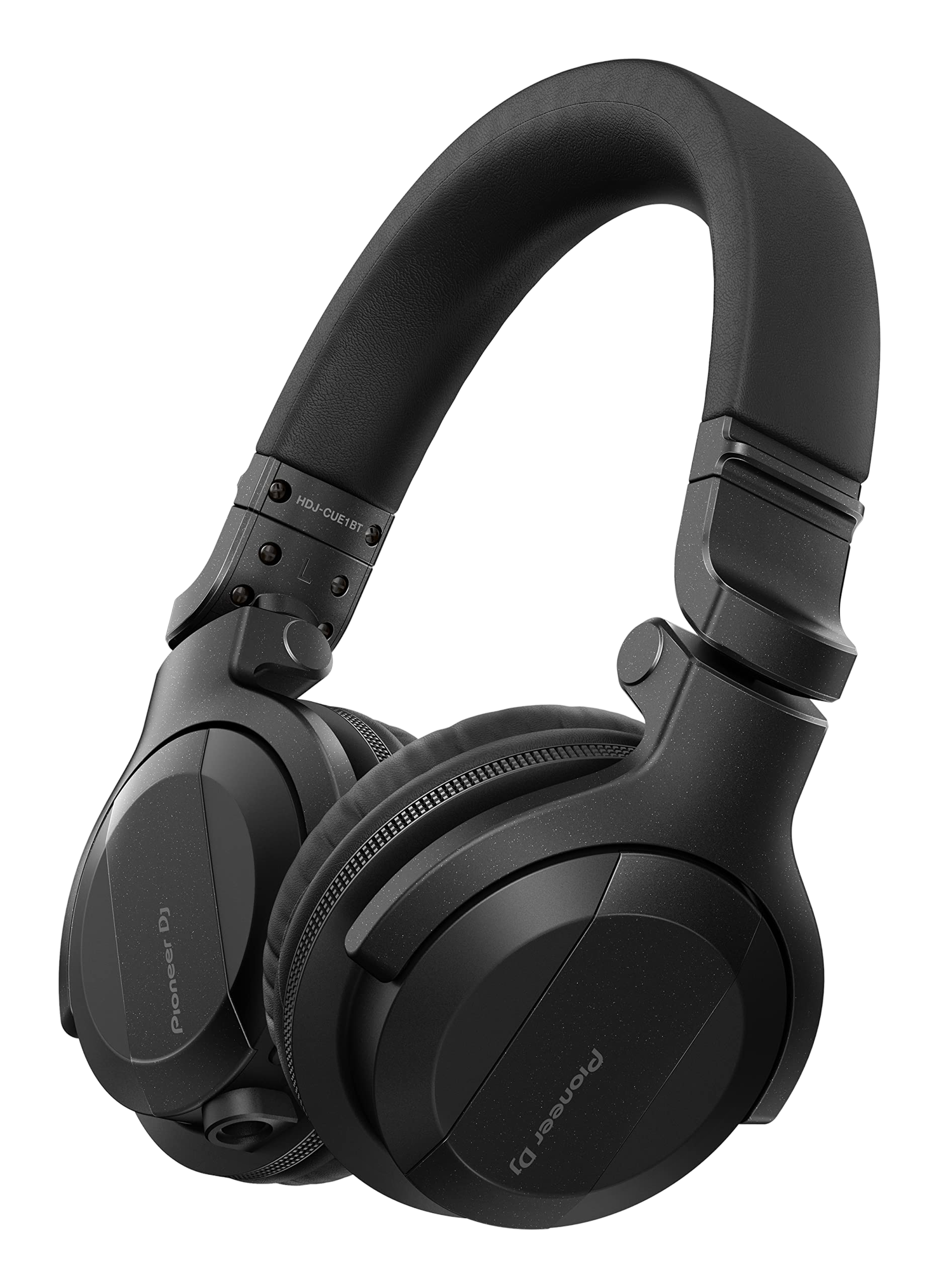
The Pioneer DJ HDJ-CUE1 is the company's accessible entry-level headphone, designed to give beginners a proper DJ-monitoring tool without the flagship price. It's lightweight, comfortable for long sessions, isolates well enough to cue in a loud room, and has the swivel and detachable-cable practicality DJs need. This guide explains what makes it a real DJ headphone and teaches the core skills you use it for — cueing and beatmatching by ear.

  • Understand what makes the HDJ-CUE1 a DJ headphone
  • Set up headphone cueing on your mixer or controller
  • Monitor with one ear in a loud room
  • Beatmatch by ear and protect your hearing
Advertisement
Lessons
01

An affordable first DJ headphone

The HDJ-CUE1 exists to solve a beginner's dilemma: you need a proper DJ headphone to learn cueing, but the flagship models cost a lot. Pioneer built the CUE1 as the affordable way in — it keeps the things that actually matter for DJing and trims the premium extras. What makes it a DJ headphone rather than a normal pair? It's tuned with a punchy low end so you can lock onto a kick drum when beatmatching; it isolates reasonably well, sealing out enough of the room that you can hear your cue over loud speakers; the cups swivel so you can monitor with one ear; and it has a detachable cable, so a snag on a busy desk doesn't wreck it. There's even a Bluetooth variant (the CUE1BT) for casual listening away from the booth. It's lightweight and comfortable, which matters more than beginners expect — you'll wear it for hours while practising. This guide treats it as what it is: an honest, capable first tool, and a great one to learn real monitoring skills on.

02

Setting up headphone cueing

The whole point of a DJ headphone is cueing: privately listening to your next track while the crowd hears only what's playing. Plug the HDJ-CUE1 into your mixer or controller's headphone socket, then use the cue (headphone) buttons on each channel to choose what you hear. Press cue on the channel you're preparing, and that track plays in your headphones alone. Most mixers also give you a cue/master balance knob, letting you blend a little of the live master into your headphones so you can hear how your cued track sits against what's playing. Set this so you can hear both, which makes beatmatching far easier. This private monitor is the foundation of DJing — it's how you find the start point of the next track, set its tempo, and get it ready, all without the audience hearing. Our HDJ-X10 guide covers the cueing workflow in more depth, and it applies identically here. Get this routing comfortable before anything else.

03

One-ear monitoring

In a loud room you rarely wear both cups. The classic DJ technique is one-ear monitoring: keep one cup sealed over the ear you're cueing with, and slide or swivel the other cup off so you can still hear the room and the speakers directly. The HDJ-CUE1's swivelling cups are designed for exactly this. Why bother? Because you need to hear two things at once — your cued next track (in the headphone) and what the crowd is actually hearing (from the speakers). Monitoring with one ear lets you match the two: you bring the cued track's beat into line with the master you hear in your open ear. The CUE1's isolation helps here — the sealed cup blocks enough room noise that your cue stays clear even over a pounding system, so you don't have to crank the volume. Practise the one-ear hold early; it quickly becomes second nature and is how nearly every DJ works a real room. Our HDJ-X10 guide covers the posture in more detail.

04

Beatmatching by ear & hearing care

The skill the HDJ-CUE1 is built for is beatmatching by ear: listening to your cued track against the playing track and adjusting its tempo until the two beats lock together. The CUE1's punchy low end makes the kick drums easy to hear and align, which is exactly what you want. Our How to Beatmatch guide breaks the technique down step by step, and the CUE1 is a perfectly good tool to learn it on. A word on hearing, because it's the one thing you can't replace. Good isolation means you don't need high volume to hear your cue clearly — so keep the level only as loud as you need. DJs spend years next to loud systems, and protecting your ears is protecting your career. Take breaks, don't cue louder than necessary, and consider proper earplugs for gigs. Master cueing and beatmatching on the CUE1 and the skills transfer to any headphone and any booth. It's an affordable start, but the craft you build on it is the real, lasting thing.

Techniques to practise
Related gear
Advertisement