01
What the DDJ-1000 is & the layout
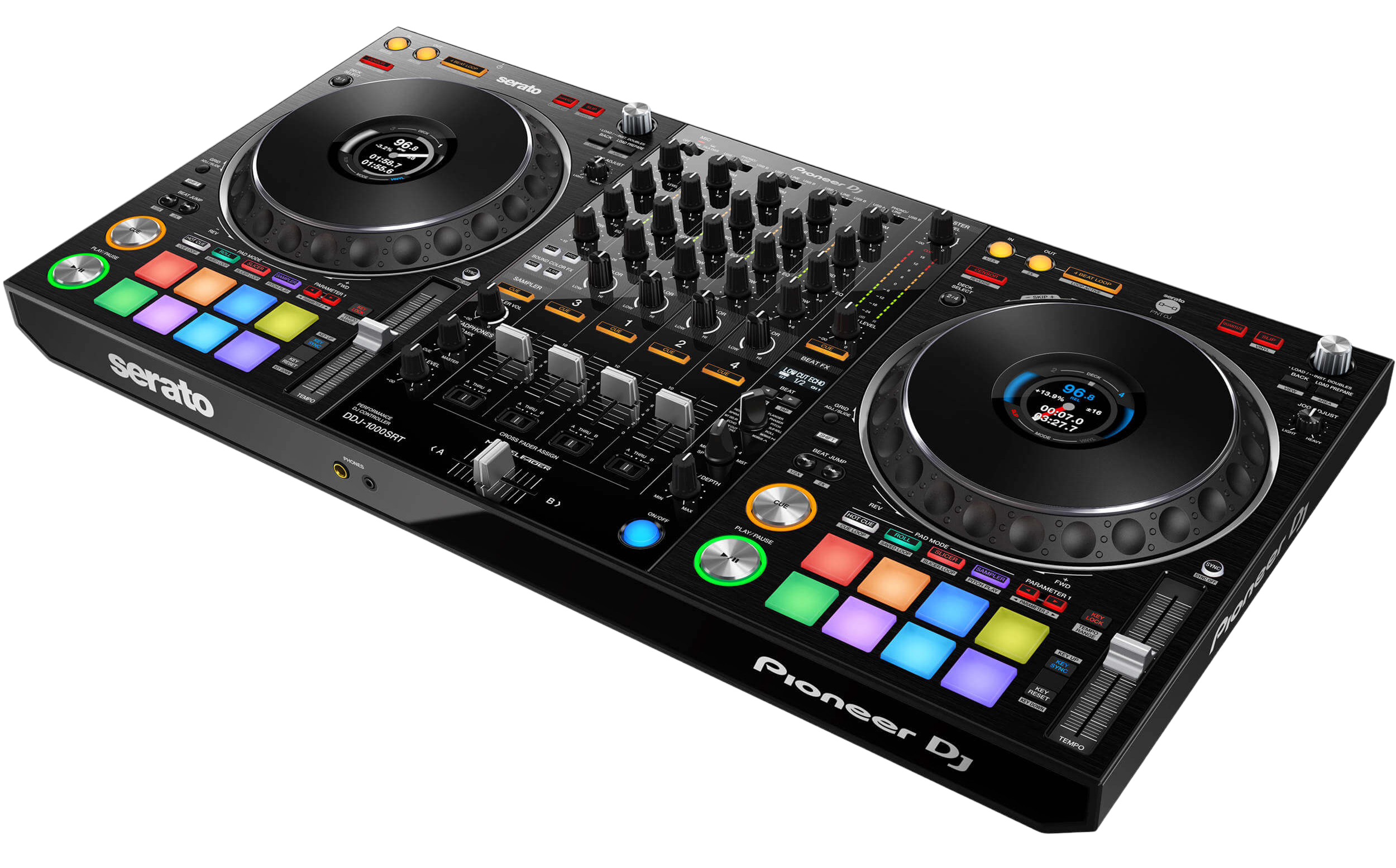
The DDJ-1000 made its name by being the controller that feels most like professional club gear. Where many controllers have small, light jog wheels, the DDJ-1000 has large, weighty CDJ-style jogs with a full-colour on-jog display in the centre of each — and its mixer is a genuine four-channel DJM-style design. The result is that practising on a DDJ-1000 builds the exact muscle memory you'll use on a club's CDJ-and-DJM setup, which is why it became a favourite for serious learners and gigging DJs.
It connects to a laptop and runs either rekordbox or Serato (there's a dedicated Serato edition, the DDJ-1000SRT). One USB cable carries everything.
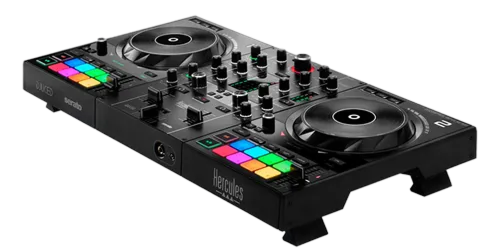
The layout is club-standard: two big jogs with on-jog screens, transport controls, tempo sliders and pads; a four-channel mixer in the middle with trim, three-band EQ, Sound Color FX, faders and crossfader; and the Beat FX section. Learn these zones — and the universal skills in our Techniques section — and the DDJ-1000 becomes a complete, club-realistic performance instrument.
02
Set up & load your music
Setup is straightforward: connect the DDJ-1000 to your laptop with one USB cable, open your software, and the controller unlocks. The standard DDJ-1000 runs rekordbox (with a free licence), while the DDJ-1000SRT is built for Serato DJ Pro (unlocked free with the unit) — pick the version that matches the software you want to learn. Connect headphones to the front and speakers to the master outputs on the back.
Prepare your library in your software first: import and analyse your tracks so they have BPM and beat-grids (our rekordbox and Serato DJ Pro guides cover this), and set a few hot cues during prep. Then use the browse knob and load buttons to bring a track onto a deck.
A nice DDJ-1000 detail is that you can connect external inputs and even use it with the software's recording, but the core flow is simple: prepared library, load a track, and the on-jog display lights up with your waveform and info. With music loaded you're ready to learn the controls — and because the layout mirrors CDJs, everything you do here transfers straight to a club booth.
03
The jogs & on-jog displays
The DDJ-1000's full-size jog wheels are its signature. They're large and weighted like real CDJs, so cueing and nudging feel substantial and precise. As on any deck, the jog scratches when you touch the top in vinyl mode and bends the pitch when you nudge the outer edge for small timing fixes; the feel is adjustable.
The on-jog displays — the colour screens in the centre of each wheel — show your playing position (like a spinning record marker), the waveform, artwork, BPM and key, and your cue points. They keep your eyes up on the gear and the crowd rather than buried in the laptop, which is a habit that separates confident DJs from nervous ones. While you learn, the position and waveform views are most useful.
The basics: Play/Pause and Cue (set a launch point, snap back to it on the beat). The universal skill of matching two tracks by ear — tempo and phase — is taught in full in our How to Beatmatch guide, and the DDJ-1000's club-style jogs are an ideal place to develop it, because they behave just like the CDJs you'll graduate to.
04
The four-channel mixer & layering
The DDJ-1000's mixer is a real four-channel DJM-style design. Each channel has a trim, three-band EQ, a Sound Color FX knob, a cue and a fader, with the crossfader below. The core blend is the bass swap — cut the incoming track's LOW, raise its fader so its highs and mids layer cleanly, then swap the bass over at the transition — after setting levels with the trim so both tracks are equally loud. Our Gain Staging & EQ Mixing guide covers this in depth.
Four channels are a real creative advantage over two-channel controllers. Most of the time you mix on two decks, but you can keep a vocal a cappella or a percussion loop running on deck 3 or 4 and layer it over your main mix — opening up textured sets a two-deck setup can't manage. Build clean two-deck mixing first, then add a layered element for a standout moment.
Each channel's Sound Color FX (especially the Filter) adds per-channel texture and tension, and the smooth, club-feel faders make controlled blends a pleasure. The DDJ-1000 gives a DJ who's mastered the fundamentals genuine four-channel range.
05
Pads & Beat FX
Each deck has performance pads with multiple modes. Hot Cue mode saves your favourite moments — a drop, a vocal, an intro — to jump to with a tap, so you can rearrange a track live or relaunch instantly. Beat Loop mode captures a perfectly-timed loop to extend an intro or build tension, and there are pad modes for beat jump, the sampler and more.
The Beat FX section adds tempo-synced effects — echo, reverb, filter and others — locked to the beat. Choose an effect, set its beat length and channel, and ride the depth; the most reliable move is a short echo tail as a track ends, dissolving it smoothly into the next.
The golden rule for both pads and effects is restraint — one well-placed hot cue or a single echo does more than constant button-mashing. Our Looping & Hot Cues and Filters & FX guides cover the creative use in depth. On the DDJ-1000, start by mastering clean hot-cue launches and a single tasteful effect, then expand from there as your hands get faster.
06
The bridge to club CDJs
The DDJ-1000's whole appeal is that it prepares you for the real thing. Because its jog wheels are full-size and weighted like CDJs, its on-jog displays mirror what you'll see on club players, and its mixer is laid out exactly like a DJM, stepping from a DDJ-1000 to a club's CDJ-and-DJM setup feels almost seamless — your hands already know where everything is and how it responds. Few controllers translate so directly.
So treat it as serious training. Build the right habits: clean gain staging, beatmatching by ear (not just Sync), the bass-swap blend, four-deck layering, and tasteful cues and effects. Those fundamentals are identical on a DDJ-1000 at home and a CDJ-3000 in a festival booth.
When you're ready to play out, you'll find the transition far less daunting than DJs who learned on lighter, less club-like controllers. Pair the DDJ-1000 with our Techniques guides for the universal skills, practise consistently, and it becomes one of the best on-ramps to a professional career there is — a controller that genuinely teaches you to play club gear.