01
What the DJS-1000 is
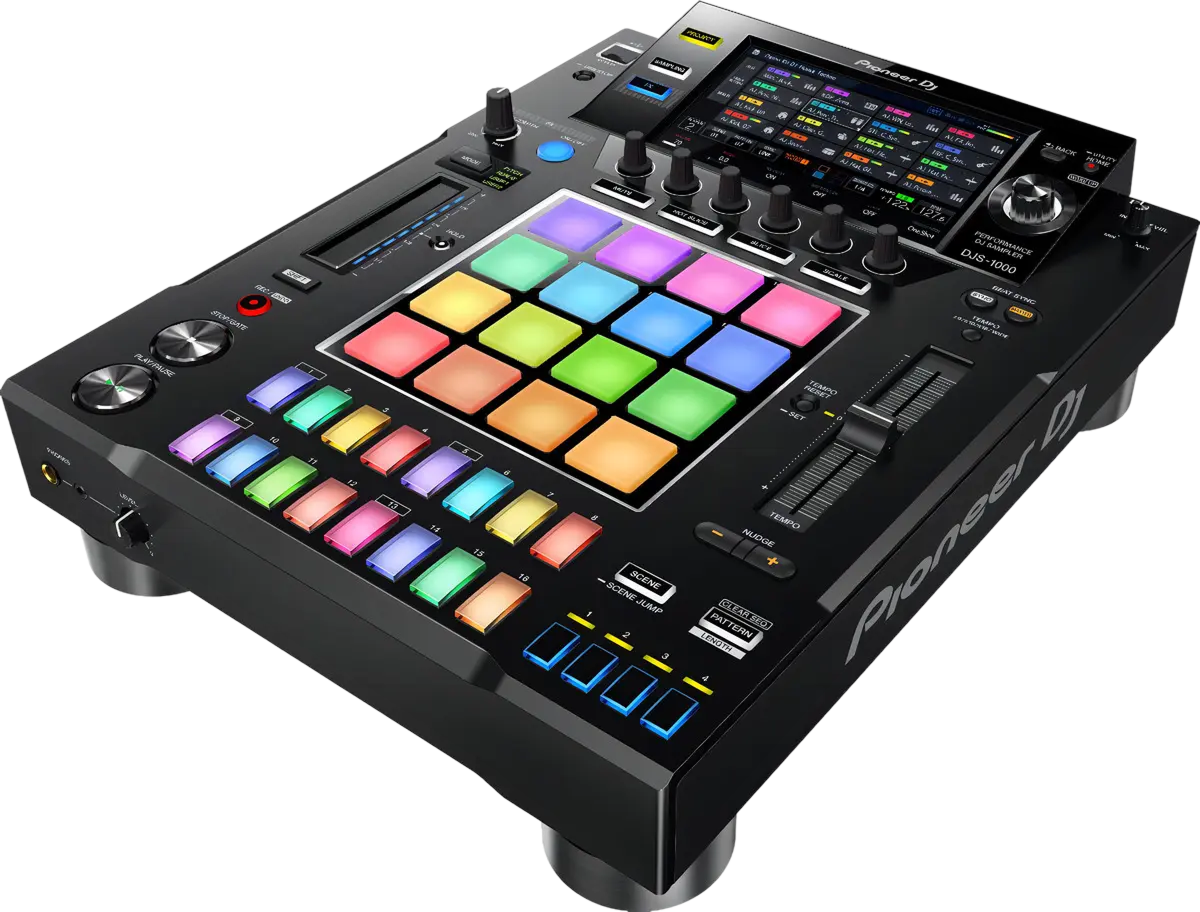
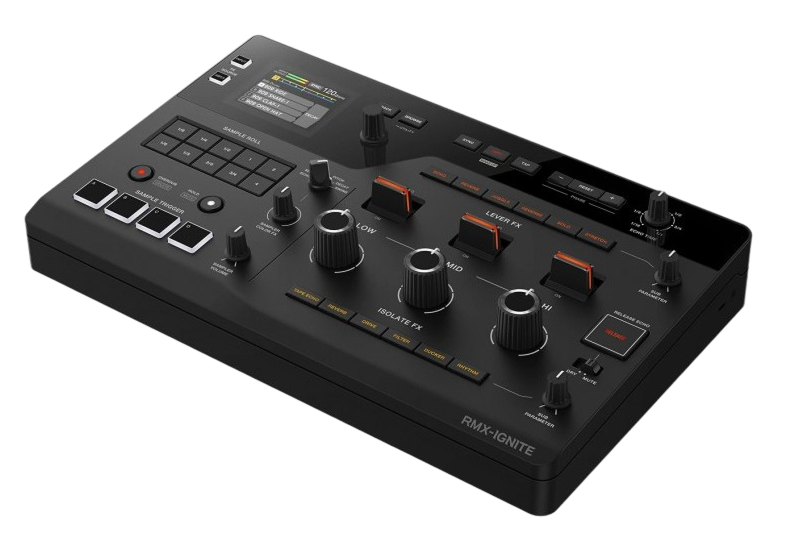
The DJS-1000 isn't a mixer or a player — it's a standalone sampling sequencer, essentially a performance-focused drum machine and sample player built for the DJ booth. It has sixteen pads, a touchscreen, knobs and a step sequencer, and it lets you trigger samples and build beats and patterns live, then drop them into your set as original, evolving elements. Think of it as a way to add live production to your DJing.
It's designed to sit alongside your DJ gear and sync to it (over Pro DJ Link or MIDI/clock), so anything you build stays locked to the tempo of your mix. You load your own samples — drum hits, vocals, loops, melodies — and perform with them.
DJs use it to stand out: instead of only blending finished tracks, you can layer your own beat, drop a signature sample, or build an evolving groove that no one else has, live in front of the crowd. It blurs the line between DJing and live performance. This guide covers triggering sounds, building patterns, and using it musically in a set — with restraint and timing, as always, being the keys to doing it well.
02
The pads & triggering sounds
The heart of the DJS-1000 is its sixteen velocity-sensitive pads. You load samples onto them — a kick on one pad, a snare on another, a vocal stab, a synth chord, a whole loop — and then play them with your fingers, like a drummer or beatmaker. The pads are responsive enough to perform real rhythms by hand, and you can organise sounds into kits for different tracks or moods.
You bring your own sounds in (the DJS-1000 reads samples from a USB drive or SD card), so your palette is entirely yours — your own drum hits, your tags, vocal chops, field recordings, anything. That's what lets you create something original rather than reusing the same canned sounds everyone has.
Start simple: load a handful of sounds you love, learn to trigger them cleanly and in time over a track, and practise dropping one in at the right moment. Finger-drumming a quick fill or firing a signature sample on the beat is an immediate way to add a live, human element to a DJ set. The pads are the foundation; the step sequencer (next) is how you turn single hits into evolving patterns.
03
The step sequencer
The step sequencer is what turns the DJS-1000 from a sample pad into an instrument that can build whole grooves. A sequencer lets you program a pattern by placing sounds on a grid of steps — for example, a sixteen-step bar where you tap in a kick on certain steps, a hi-hat on others, a snare on the backbeat. Once programmed, the pattern loops and plays itself, perfectly in time, freeing your hands to add more or work your DJ mix.
You can layer multiple sounds across the sequence, build several patterns and chain them, and tweak them live — muting a part, adding a fill, changing a sound — so the groove evolves as you perform. Because it's locked to your set's tempo, whatever you build sits right in the pocket with the track playing.
This is how DJs use the DJS-1000 to create original moments: programme a complementary beat or percussion groove and layer it under a track during a breakdown, build a custom drum pattern to bridge two songs, or sequence a melodic element for a signature drop. It takes practice to build patterns quickly and musically, but it's where the instrument's real power lives — live, hands-on beat-making in the middle of a DJ set.
04
Syncing & performing live
For the DJS-1000 to work in a DJ set, everything it plays must be locked to your mix's tempo — and it is, through syncing. Connect it to your DJ gear over Pro DJ Link (with compatible Pioneer players and mixers) or via MIDI/clock, and the DJS-1000 follows the master tempo, so your sequenced beats and triggered samples stay perfectly in time with the track you're playing. You route its audio into a spare channel on your mixer, so you can fade it in and out and EQ it like any other source.
In performance, the DJS-1000 shines in the spaces and transitions: drop a custom percussion groove under a breakdown to build energy, bridge two tracks with an original beat, fire a signature sample over a drop, or layer a melodic sequence for a unique moment. Because it's synced and on its own channel, you can bring these elements in and out smoothly with the mixer.
The golden rule is the same as with effects and samples everywhere: use it for moments, not constantly. A single original groove or well-placed sample at the right time is electrifying; non-stop beat-making over every track just clutters the mix. Choose your moments and the DJS-1000 makes your sets unmistakably yours.
05
Creative workflow & signature
Getting good with the DJS-1000 is about preparation and a focused repertoire, much like learning an instrument. Prepare your sounds and patterns ahead of time: build kits of samples you love, programme a few go-to grooves and fills, and save them so they're ready to drop in live rather than built from scratch under pressure. The more you prepare at home, the more freely you can perform in the moment.
Develop a signature. Pick a few things you do really well — a particular percussion groove you layer in breakdowns, a trademark vocal sample, a way you bridge tracks with a custom beat — and drill them until they're automatic. A recognisable signature is what makes a DJ memorable, and the DJS-1000 is a powerful tool for creating one because the sounds and patterns are entirely your own.
And record your sets to hear what's working — where your live elements added magic and where they got in the way. The DJS-1000 sits between DJing and live production, and mastering it takes real practice, but it offers something few tools can: the ability to create original music, live, in the middle of a set. Used with taste and preparation, it turns a DJ into a performer with a sound of their own.