01
What Serato DJ is & Lite vs Pro
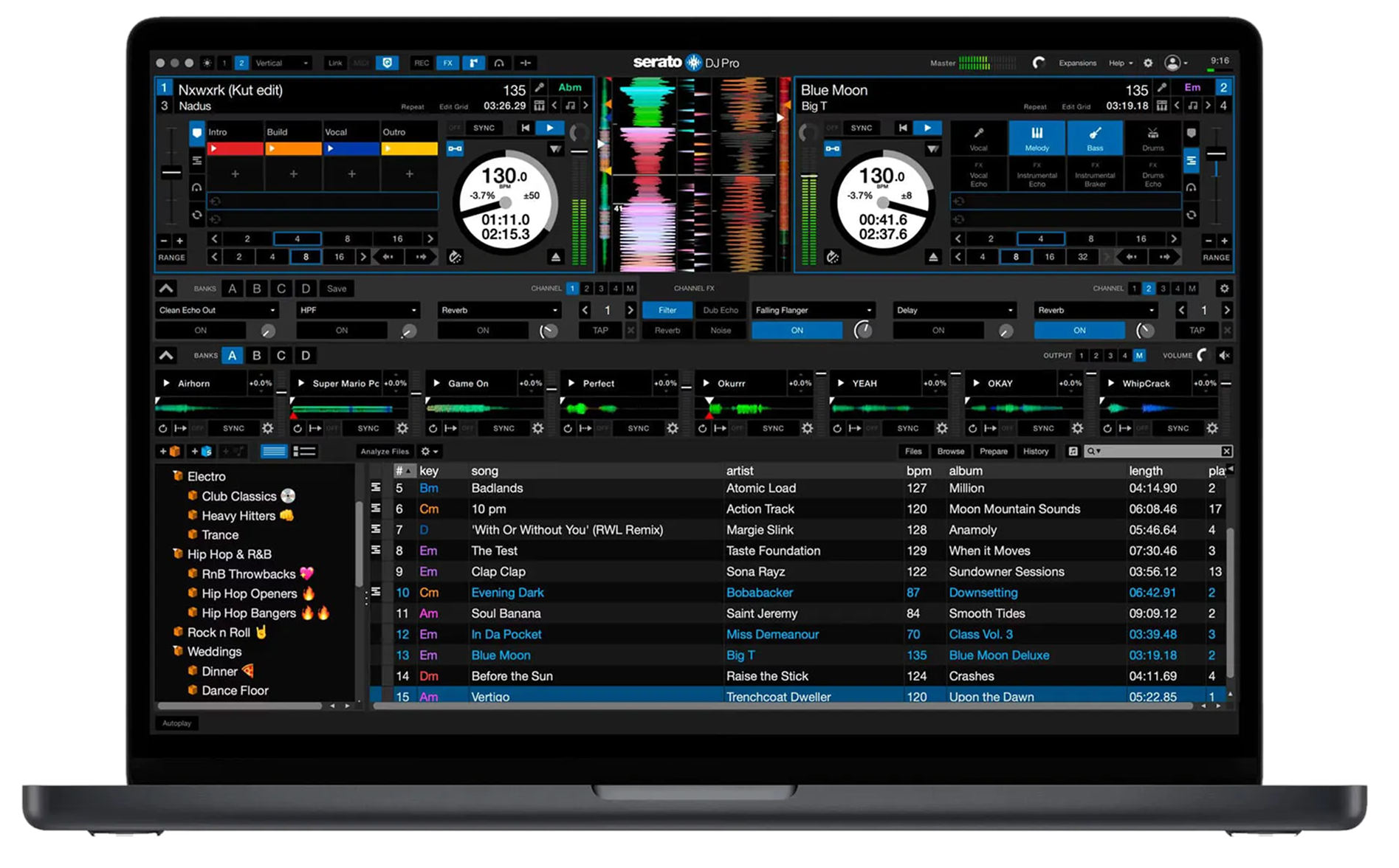
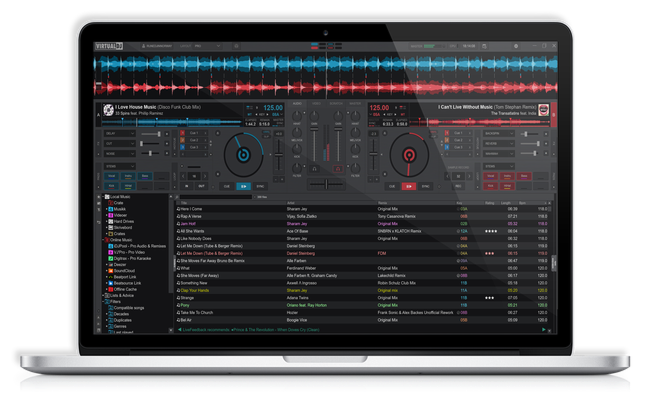
Serato DJ is a computer DJ application — you connect a controller or mixer, and Serato is the software that plays and mixes your music, showing decks, waveforms, a library and effects on screen. It's hugely popular, particularly with scratch DJs, hip-hop DJs and open-format/mobile DJs, thanks to a reputation for stability (it rarely crashes mid-set) and a clear, fast workflow.
There are two versions. Serato DJ Lite is free and covers the basics — two decks, core mixing, basic cues and loops — and it's how many DJs start. Serato DJ Pro is the full version (a paid upgrade or subscription) that unlocks four decks, more cue and loop tools, DVS for turntables, the full effects suite, and advanced features. Importantly, a lot of hardware comes with Serato DJ Pro unlocked for free when you plug it in — many Pioneer, Rane and Numark controllers and mixers include a Pro licence, so check whether your gear unlocks it.
Unlike rekordbox, Serato is primarily a performance application — you mostly DJ in it live rather than exporting to standalone players (though Serato libraries can now be used on some standalone gear). This guide covers organising your music in it and performing with its tools.
02
Building & analysing your library
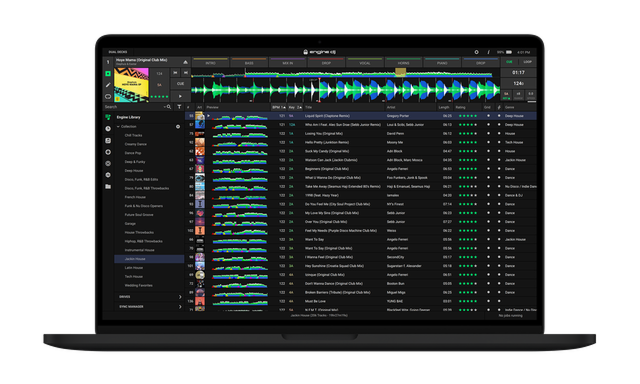
Serato works from your music library, so the first step is importing your files — you can drag in folders or point Serato at your existing music, and it builds a library you organise into crates (Serato's version of playlists). The essential step is analysing your files: Serato scans each track to detect its BPM, build a beat-grid, and set the gain, which makes sync, the waveforms and quantized cues work properly. Analyse your whole library before a gig so nothing is left unprepared.
Then organise with crates. Build them by purpose — warm-up, peak-time, by genre, by event — and use Smart Crates that auto-fill based on rules (like BPM range or genre) to keep things organised as your collection grows. Serato shows BPM and key, and you can sort and filter to find compatible tracks fast in the moment.
A tidy, analysed library is one of the biggest advantages you can give yourself: it turns frantic mid-set scrolling into confident, instant selection. Serato's crate system is quick and flexible, so spend time setting it up the way you actually think when you play — the prep pays off every gig.
03
Cues, loops & the workflow
Serato makes setting and using hot cues and loops fast and visual. Set hot cues on the key moments of a track — the first beat, the drop, a vocal hook — and they save with the track and appear on your controller's pads, colour-coded, ready to launch. Set them during prep and you'll never fumble live. Loops work the same way: drop an auto loop of a set length, or set manual in/out points, and save them for instant recall.
Serato's workflow is built around clear, large waveforms stacked so you can see both tracks lining up, which makes beatmatching and spotting drops intuitive. Quantize snaps your cues and loops to the beat-grid so they always land in time, and Serato's reliability under pressure is a big reason scratch and battle DJs trust it — it's designed to keep running flawlessly through aggressive use.
The universal skills — beatmatching, EQ mixing, phrasing, tasteful effects — are the same in Serato as on any gear, and we teach them in our Techniques section. Serato just gives you a particularly fast, stable, visual environment to perform them in. Learn its crate-and-cue workflow and you can move through a set quickly and confidently.
04
Serato DVS & hardware
One of Serato's strengths is its deep support for DVS and a huge range of hardware. DVS (Digital Vinyl System) lets you control Serato's digital tracks using real turntables and timecode control records — and Serato is the long-time favourite for this among scratch and turntablist DJs, prized for its tight, reliable tracking. You'll need Serato DJ Pro and a supported interface or mixer (like the DJM-900NXS2 with its built-in sound card), plus timecode records; our turntable and Scratching guides cover the technique. Modern wireless options like MWM Phase also work with Serato.
Beyond turntables, Serato runs with an enormous catalogue of controllers and mixers from Pioneer, Rane, Denon, Numark and others — many of which unlock Serato DJ Pro for free when connected. Battle mixers and controllers like the Rane Seventy and Pioneer DDJ-REV7 are built around Serato. This broad compatibility means whatever gear you end up on, there's a good chance Serato is an option.
This hardware flexibility, combined with rock-solid DVS, is why Serato dominates the scratch and open-format scenes. If you see yourself scratching or playing battle-style, Serato is very much worth learning.
05
Stems, Pitch 'n Time & effects
Serato DJ Pro packs powerful creative features. Stems (Serato calls it Stems) uses real-time separation to split any track into parts — vocals, drums, melody, bass — so you can isolate or mute them live for instant a cappellas and mashups, controlled from your pads or the screen. It's the same kind of live-remixing power found on gear like the DDJ-FLX10, available in software.
Pitch 'n Time DJ is a beloved Serato tool (included with some hardware, like the DDJ-REV7) that lets you change a track's tempo without changing its key, and shift its key without changing tempo — essential for clean key-matched mixing (see our Harmonic Mixing guide) and for creative pitch play. The effects suite, powered by iZotope, gives you echoes, reverbs, filters and more to add energy and smooth transitions.
As with all powerful tools, the skill is restraint and timing — a single well-placed stem swap or echo tail beats constant effect-piling (our Filters & FX and Looping & Hot Cues guides go deep on this). Serato's creative features are genuinely deep, but they reward DJs who use them with taste: learn one move at a time, make it clean, and let the music breathe between the moments you reach for them.
06
Tips & habits for Serato DJs
Serato is famously stable, but good habits keep it that way. Analyse your whole library before gigs so nothing breaks sync or quantize mid-set. Back up your Serato library and crates — they store your cues, loops and organisation, and losing them means redoing years of prep. Keep your laptop in good shape for performance: close other apps, disable sleep and notifications, and keep Serato and your drivers updated, since a clean machine is a reliable one in the booth.
Organise crates the way you actually play — by energy, genre or event — and use Smart Crates to keep things sorted automatically as your collection grows. Set your hot cues on the spots you'll really use, not on every track indiscriminately, so your pads stay meaningful.
And remember the software is only half the equation: the fundamentals — beatmatching, gain and EQ, phrasing, reading the room — are what actually make you a good DJ, and they're the same in Serato as anywhere. Use our Techniques section to build them, and let Serato be the fast, dependable, creative environment you perform them in. Reliable prep plus solid fundamentals is the combination that lets Serato DJs play anything, anywhere, with confidence.